Reservations
Free
up to 25 reservations a month per location
then $29/mo plus sales tax · first month free
No card, no time limit
Features · one restaurant system
The features that fill tables and keep the guest.
Goboblo puts all restaurant software features in one restaurant system: reservations, loyalty, your website, a guest database, a QR menu, gift cards, event booking and Goboblo AI — and they all share one guest profile. Reservations are free up to 25 a month per location, and sports bars get every game in the Gameday plan. Every feature is described below, each with a link to its own page.
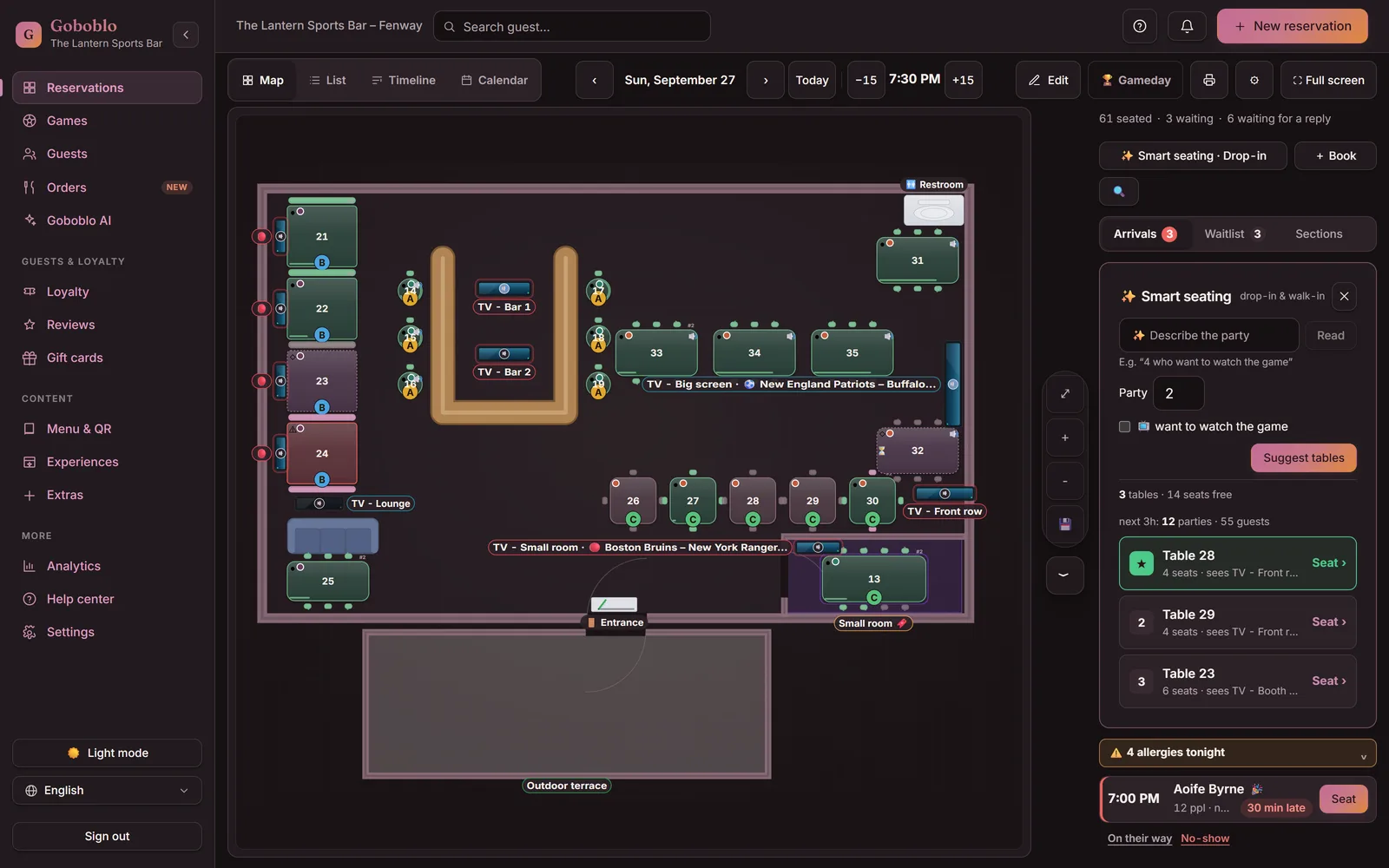
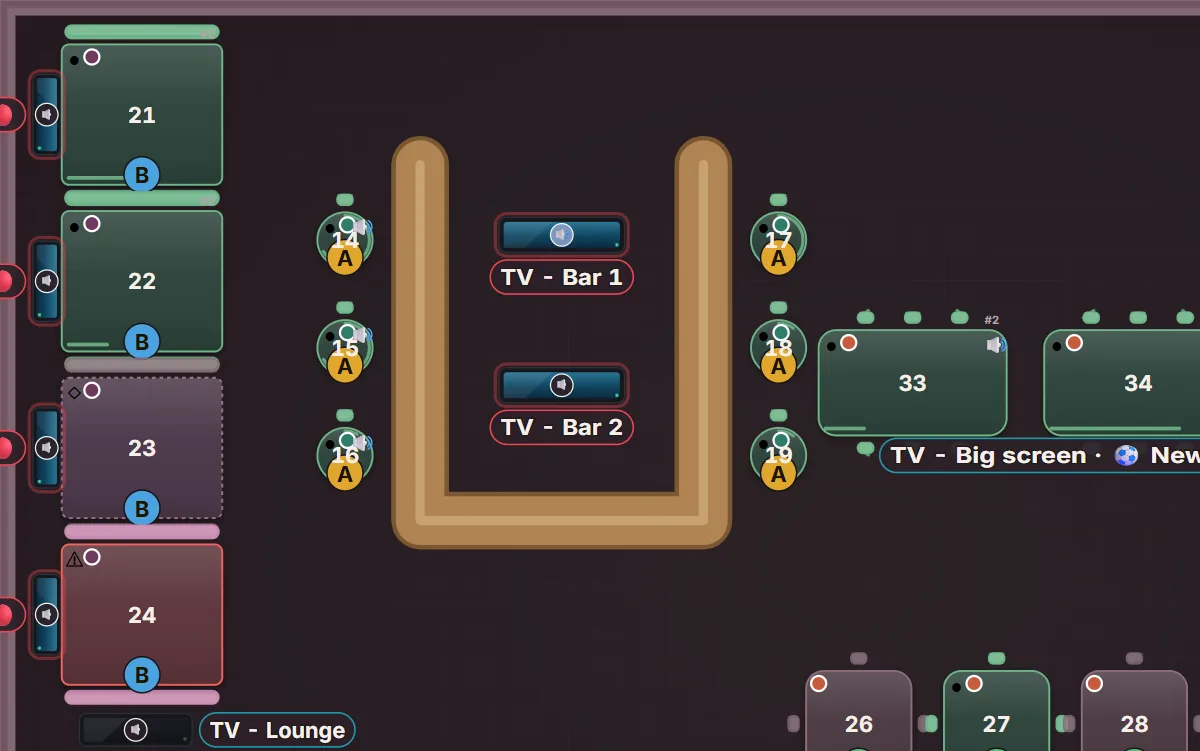
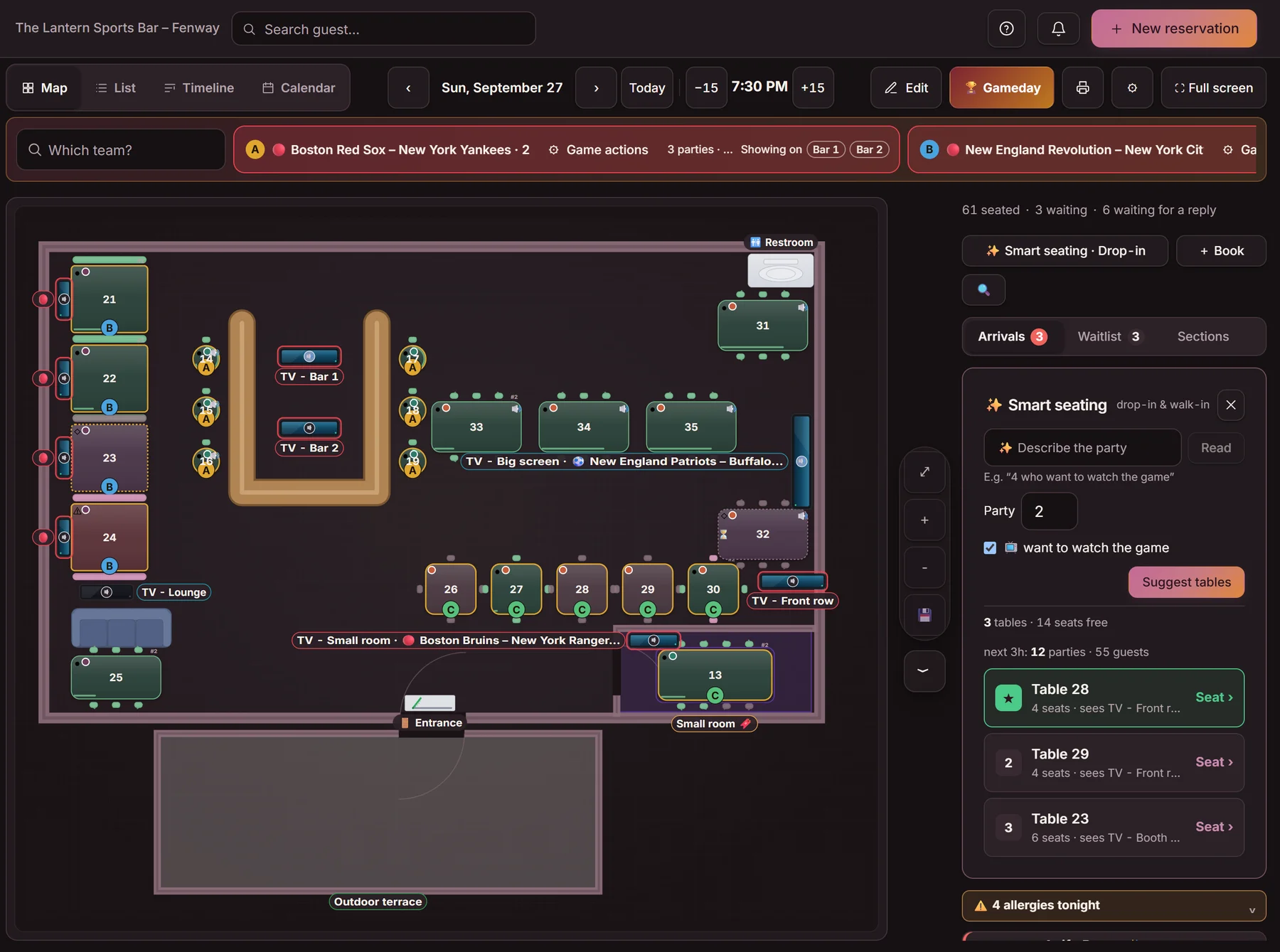
Portrait crop on mobile — the whole floor on a computer or iPad.
Four features are separate plans you add when you want: reservations, loyalty, the website and Goboblo AI. The guest database, QR menu, gift cards and event booking come with no monthly fee. Every fee is listed under pricing.
Reservations
Free
up to 25 reservations a month per location
then $29/mo plus sales tax · first month free
No card, no time limit
Loyalty
Free
up to 150 guests
then a monthly plan as your guest count grows
Digital stamp card and membership
Website
Free
on your-restaurant.goboblo.site
$25/mo plus sales tax with your own domain
Domain included, registered in your name
Goboblo AI
$9
a month per location plus sales tax
first month free · 40 questions a day
Add-on to any plan, only for the locations you choose
Separate plans too: Gameday for sports bars and Order & pickup, both billed per location.
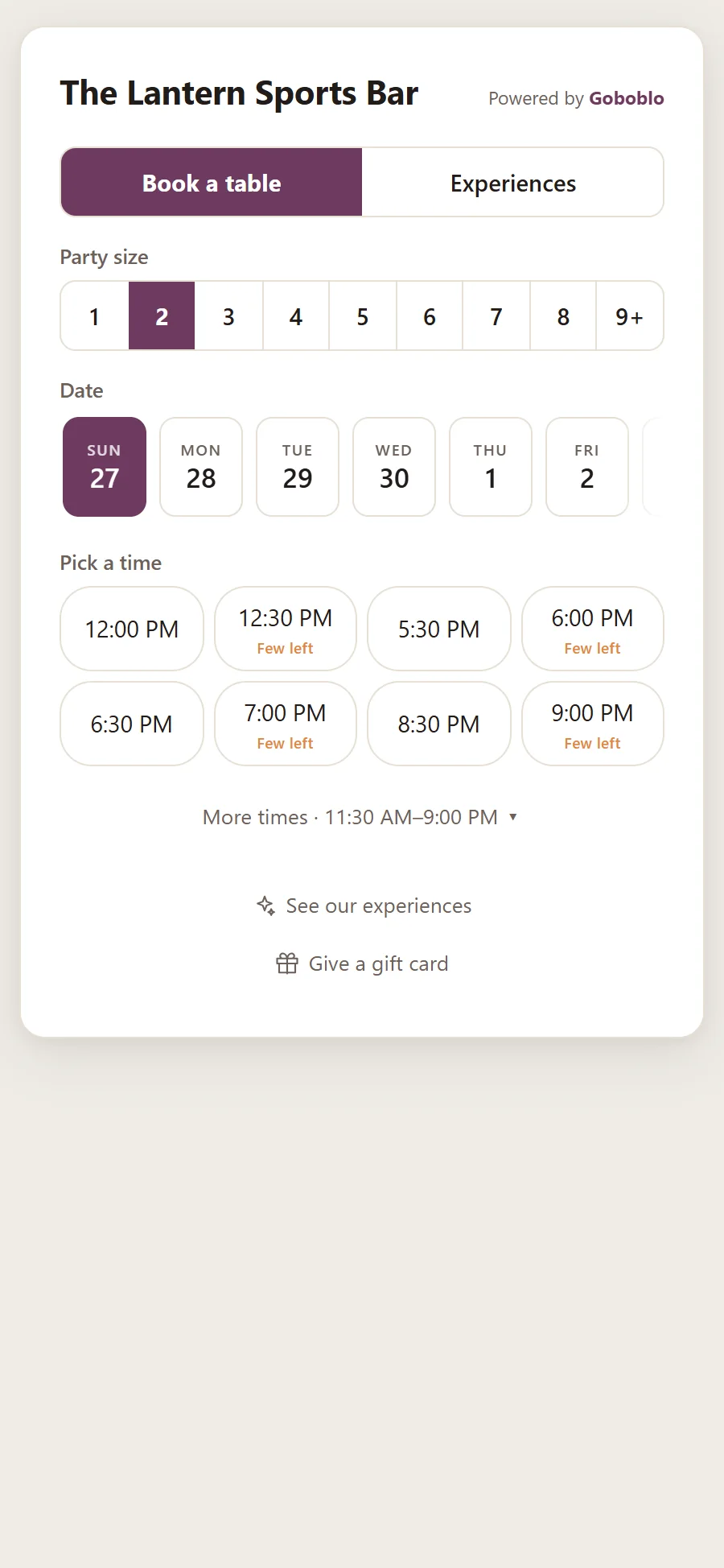
Goboblo takes reservations around the clock in your restaurant reservation software. Guests reserve in your own restaurant reservation widget or through your Google Business Profile, and they pick their own table too if you switch that on. The restaurant waitlist offers a late-canceled time to the next party, if you switch on automatic offers. Reminders go out by email.
Goboblo brings guests back with restaurant loyalty program software on the same guest profile as the reservation. Guests collect stamps on a digital stamp card for restaurants on their phone with no app — your team stamps it at the visit. Every reservation, stamp and allergy is saved in restaurant CRM software you own, so the whole history is there when the party walks in. The win-back email and the birthday email go out automatically to guests who opted in, once you switch them on.
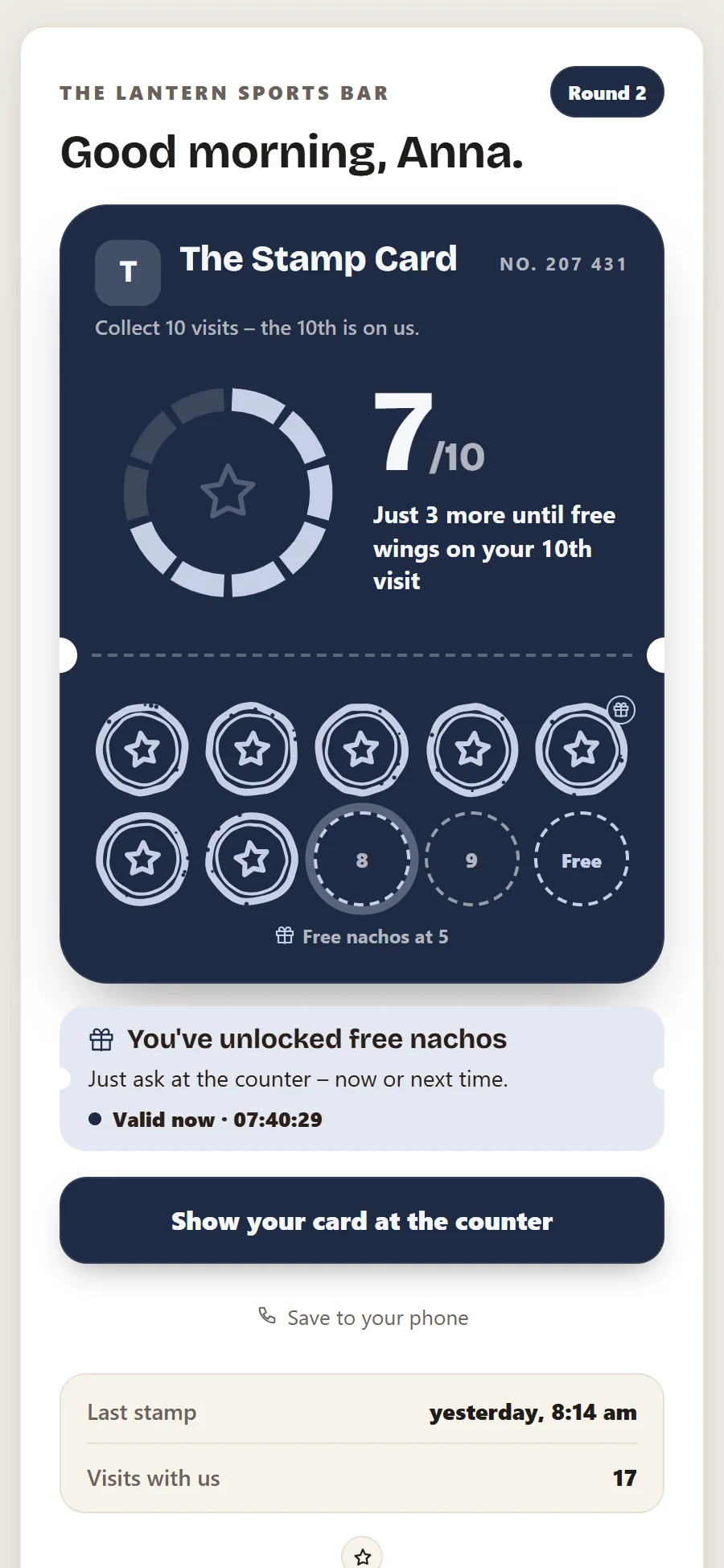
Goboblo builds your free restaurant website from the menu, hours and photos you already added — free on an address with us, your own domain included in the Website plan. The QR menu for restaurants shows the same menu on the guest's phone with no app; payment at the table stays in your POS. More restaurant reviews from happy guests make you easier to find on Google.
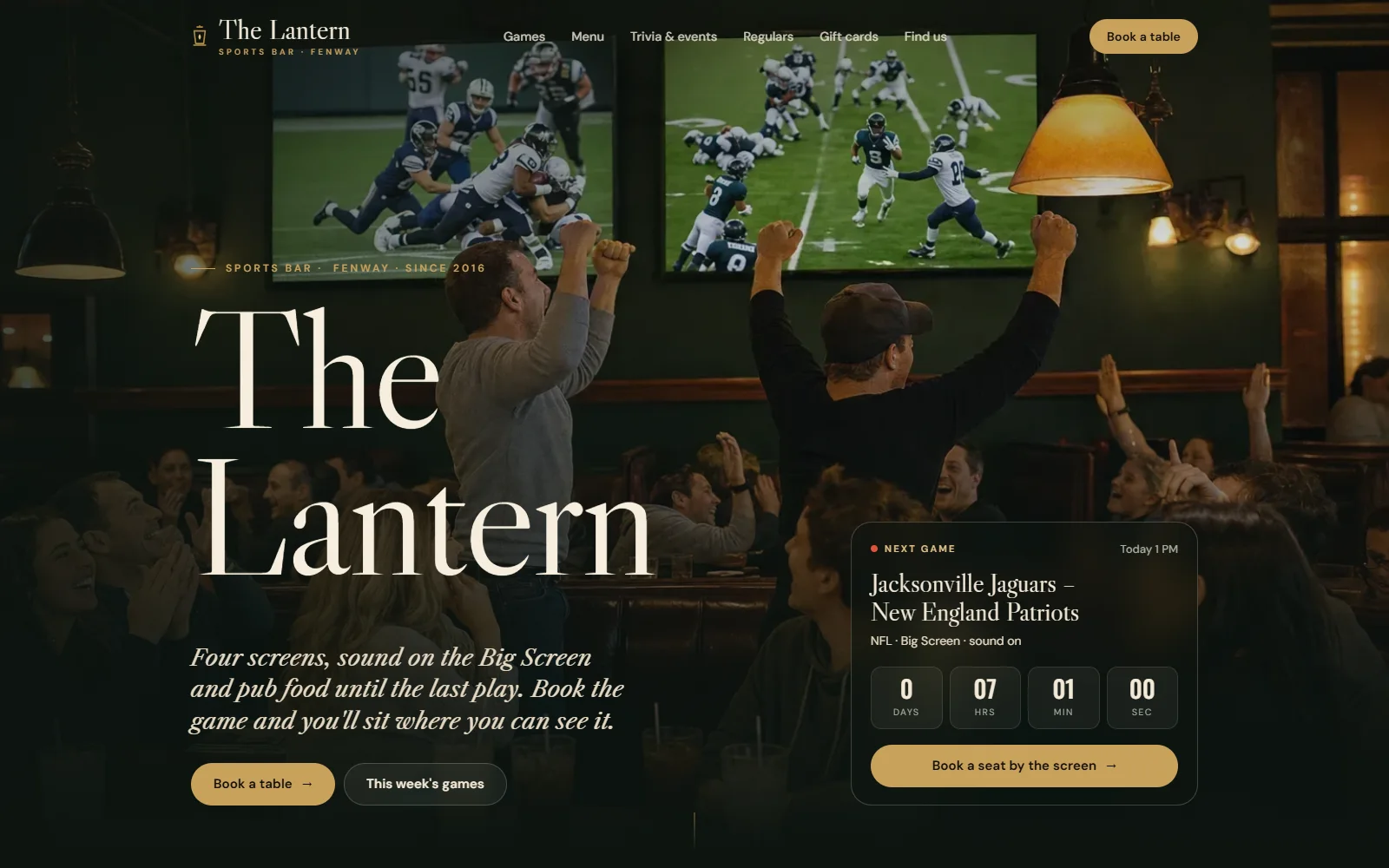
Goboblo gets you paid before the guest arrives, in four ways: restaurant gift cards, restaurant event booking, restaurant reservation deposits and Order & pickup.
Gift cards
0.5% per card sold
Sold on your site around the clock, redeemed at the register. No monthly fee.
Event booking
0.5% per seat sold
Tastings, trivia nights and events at a fixed price per seat, paid at reservation straight to your Stripe account.
Deposits
Card guarantee: no fee from Goboblo · prepayment 0.5%
A card on file from the party size you choose, or a prepayment you request on a reservation.
Order & pickup
$29/mo per location plus sales tax · 0% on the orders
Guests order and pay from home and pick up at the counter. You pay only the card fee.
How it works for pizzerias, fast food and food trucks.
Your team sees the whole floor on a live floor plan in restaurant table management software. Floor plan, list and timeline show the same night on a desktop, tablet or iPad at the host stand. Every user has a role on the account: owner, admin or staff. Staff see only the locations you pick for them when you run several locations in one account.
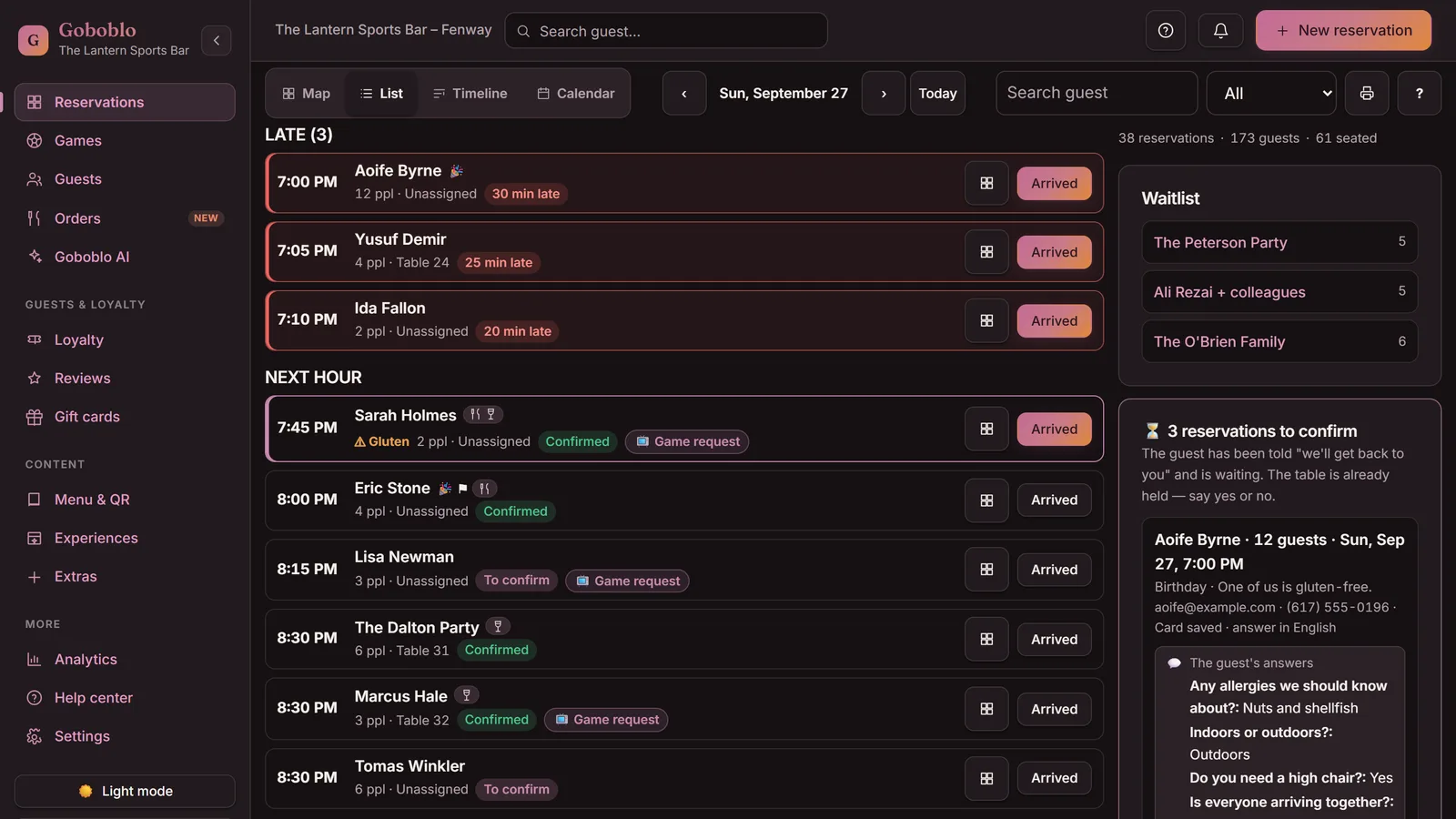
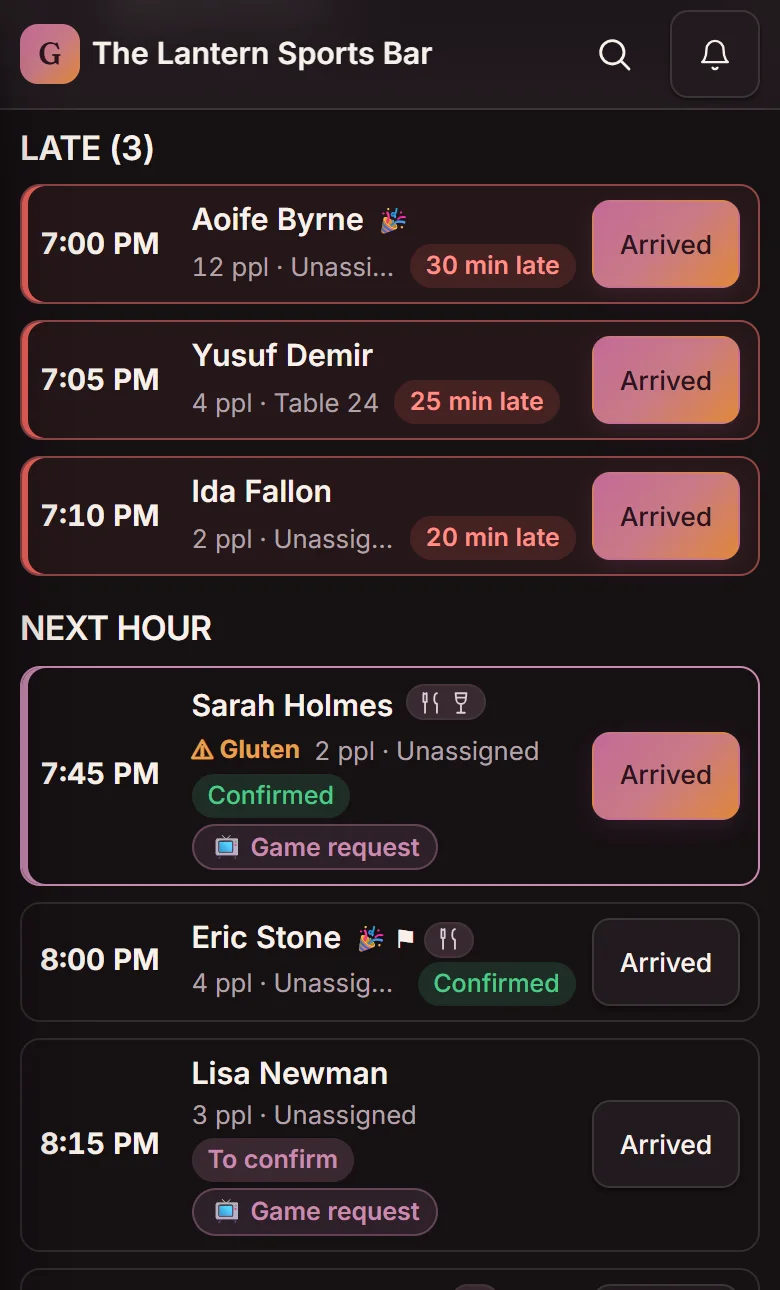
Portrait crop on mobile — the whole list on a computer
The waitlist and tonight's numbers sit in the side panel on a computer.
Sports bars get game day reservations: the guest reserves the game, not just the table, and Goboblo seats the party at a table with a view of the right screen. It comes in the Gameday plan, $99 a month per location — the whole game day flow is under sports bar reservation system for game day.
Free up to 25 reservations a month, games included · Gameday: unlimited reservations and every game
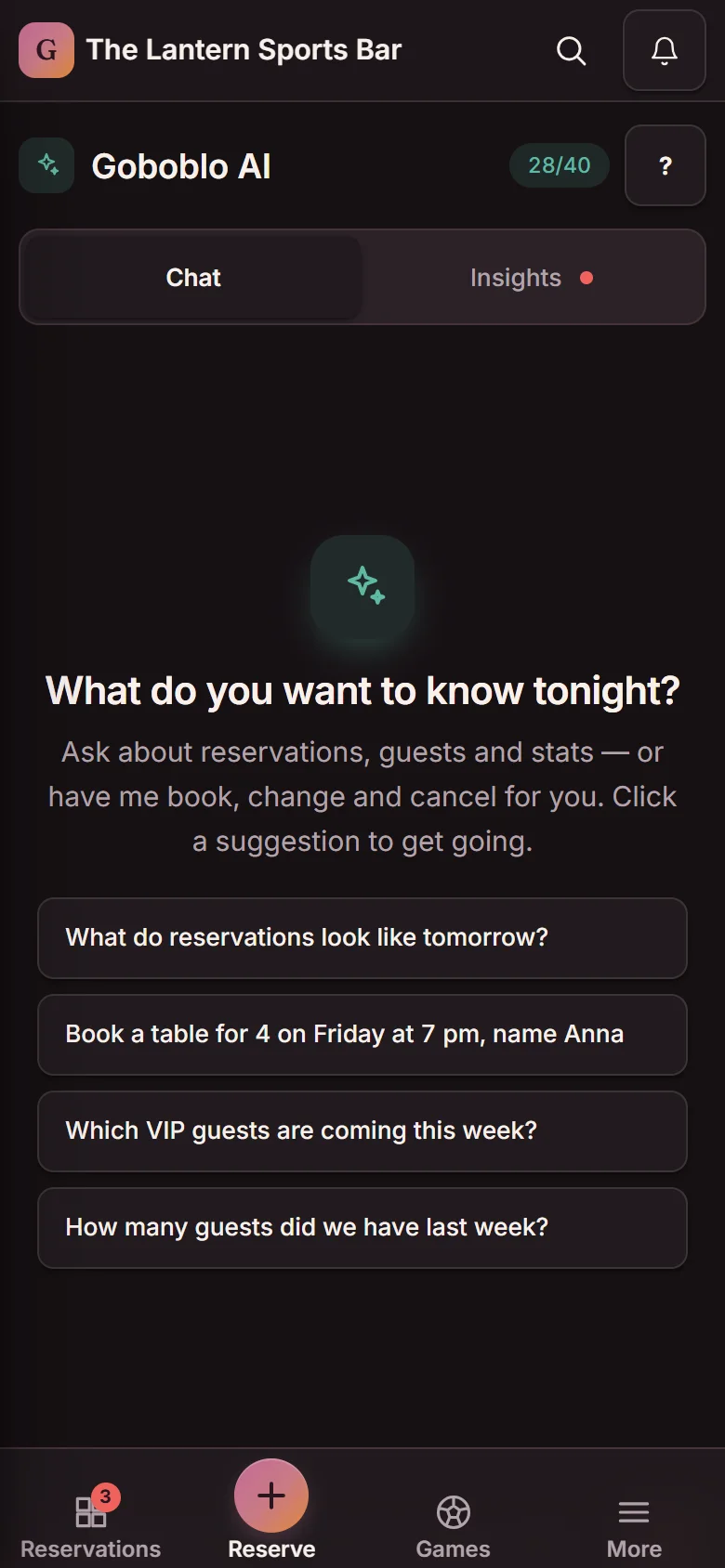
Goboblo AI is a restaurant AI assistant: it creates, changes and cancels reservations when your team types one sentence, and it shows VIP guests and allergies from the guest profile. It is a separate add-on, bought per location.
Goboblo works with the systems you already use: the reservation link goes in your Google Business Profile, the widget goes on your own website, Stripe handles card payments and gift cards, and every confirmation comes with a calendar file by email.
This is the page's biggest claim, so you get to test it: every feature writes to the same guest profile. Click the events in order and watch the guest history panel — the same panel the host opens on the floor — fill up.
📝 Wants a table with a view of the big screen
This is how empty the profile is before the first reservation. Click event 1.
The reservation created the guest profile. The row, the party size and the guest's note show up right away — visits count once the visit is done.
The purchase lands on the same profile — the Purchased via Goboblo line. Not in a separate system that never talks to the reservation.
The allergy shows highlighted in a warning color every time Sarah reserves. The host can't miss it — the kitchen skips the surprise.
One tap on the name on the floor: fifth visit, gluten allergy, sat at table 7 last time, $845 purchased via Goboblo. The whole picture — before the party walks in.
The panel is a copy of the Guest history view in Goboblo — it opens with one tap on the guest's name on the floor plan and in the list. The guest's note travels with the reservation; the allergy on the profile is saved by your team.
See the guest databaseGoboblo includes reservations with a floor plan, waitlist and no-show protection, loyalty with a digital stamp card and membership, a website, a guest database with guest profiles, a QR menu, gift cards, event booking and Goboblo AI. Reservations, loyalty, the website and Goboblo AI are separate plans; the guest database, QR menu, gift cards and event booking come with no monthly fee. Reservations are free up to 25 a month, and every plan and fee is listed under pricing.
Yes. Every reservation, stamp, allergy and note lands on one guest profile that follows the guest between visits, in a guest database you own. Gift cards are the exception today: a card is tied to its code and the buyer's email, not to a guest profile.
No. Goboblo takes 0% commission on your own reservations and charges no per-cover fee. A fee of 0.5% applies only to payments you collect through Goboblo — gift cards, event seats and prepayments — and no-show protection has no fee from Goboblo.
Yes. Goboblo runs in the browser on an iPad, tablet, computer or phone, with nothing to install. Your team sees the same floor on every device at the same time, and guests reserve, collect stamps and read the QR menu on their phone with no app.
An AI phone host, Apple and Google Wallet passes and campaign emails to a group you choose are being built. Pay at the table is one we deliberately do not build: a purchase the guest makes on their phone while sitting in your restaurant belongs in your POS, not in Goboblo. Goboblo shows the menu and takes payment before the visit — reservations, event seats, gift cards and Order & pickup.
No. The unlimited reservation plan does not include the games. Games and TV screens are in Gameday, which includes unlimited reservations. The free tier, up to 25 reservations a month, includes the games so you can try everything.
Start free and switch on what you need, or book a short demo and we'll walk through reservations, loyalty, the website and the guest database on one restaurant's night.
Free up to 25 reservations/mo · No card · No lock-in