Restaurant waitlist
When you're fully booked, the guest joins a queue online instead of going to the place next door. Your team sees them in the same queue, and the guest gets an email the moment a table opens.
- Guests queue online
- Email when a table opens
- 0 commission on your own bookings

A restaurant waitlist lets a guest join a queue online when you're fully booked. The guest leaves a name, contact, and party size in your booking, your team sees them in the same queue, and the guest gets an email the moment a table opens.
- Guests queue online
- Name and contact
- Preferred time
- Staff see the queue
- Email on a free table
- Leave the queue
What does the guest see when you're fully booked?
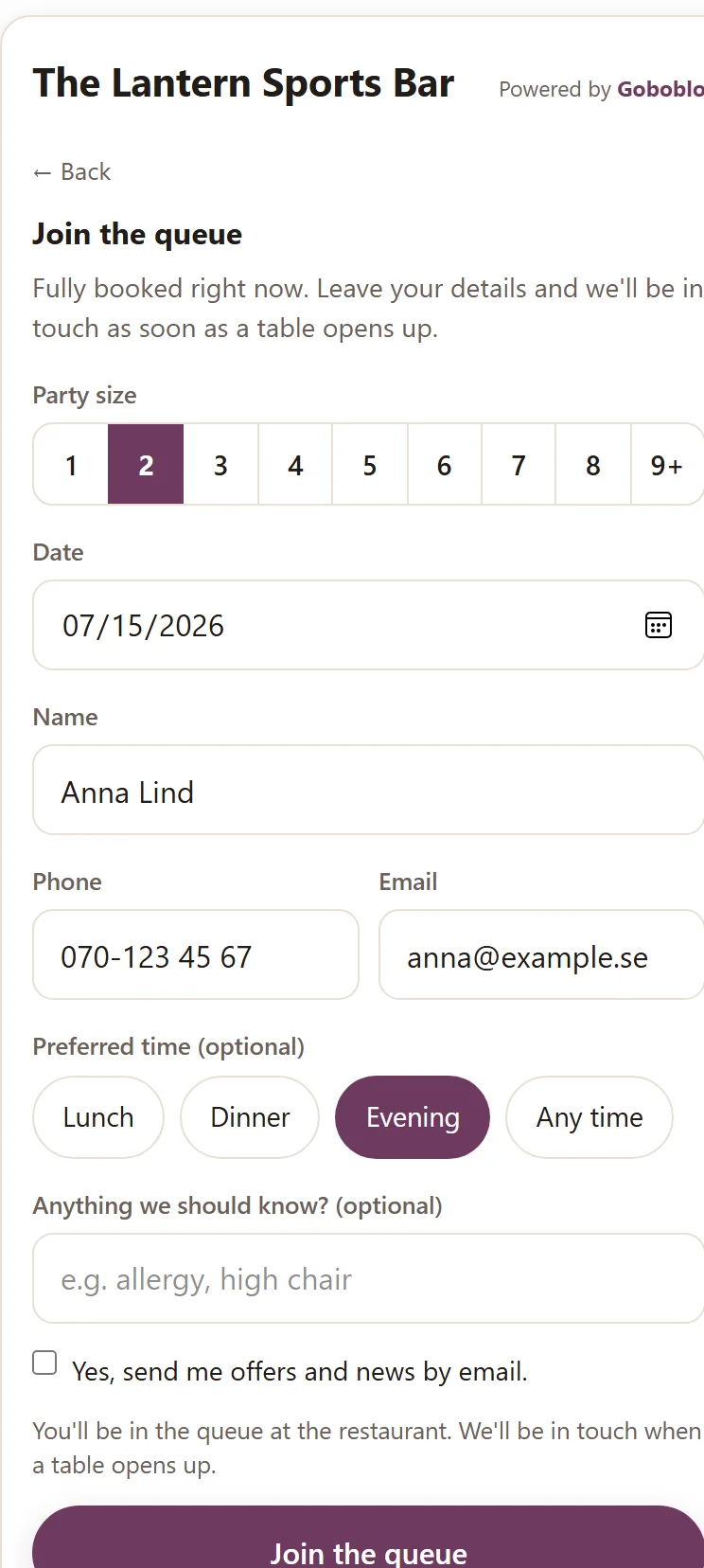
When the booking shows no open times, the guest gets a button: Join the queue. They leave a name, contact, and party size on the spot — no phone call, and no one on your team has to answer mid-rush.
- The button shows when no times are free
- Name, email or phone, party size, and a preferred time
- No call, no app to download
How does the waitlist show up for your team?
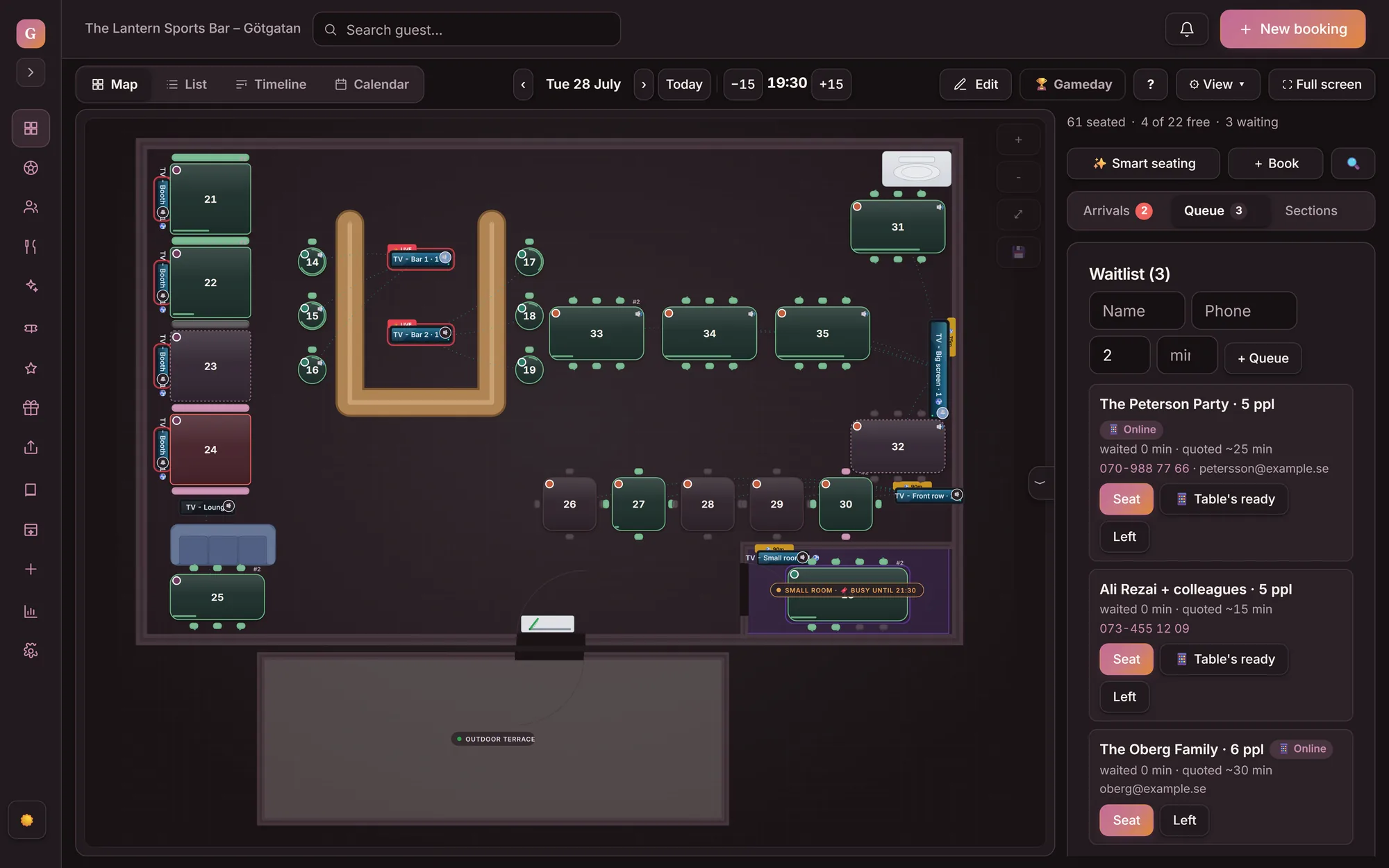
A guest who queues online shows up in the same queue as your walk-ins, marked as online. Staff see the name, party size, and preferred time, and seat the guest when a table opens — just like today.
How does the guest hear there's space?
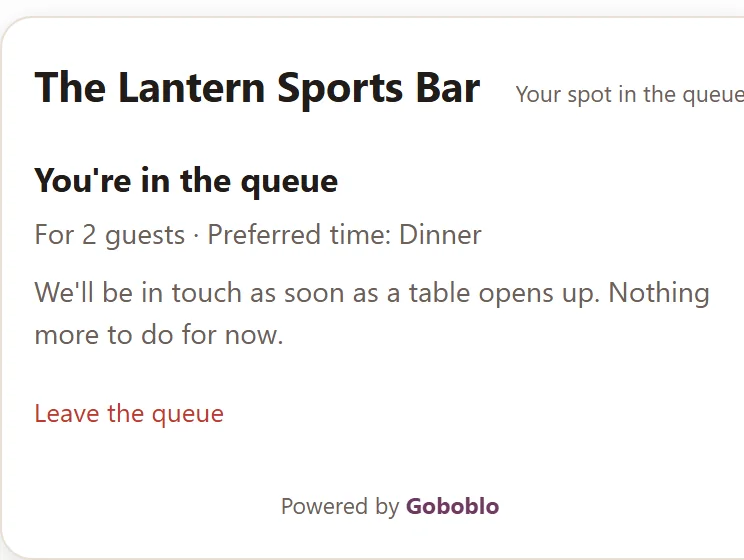
When your team seats the guest, the guest gets an email that there's space, if they left one. The guest also has their own link to their queue status — if they no longer want to wait, they leave the queue themselves and drop off your queue right away.
- Email when you seat the guest
- Their own link to the queue status
- The guest can leave the queue
What does a waitlist change on a full night?
A waitlist keeps the demand from a full night from leaking away. The guest stays with you, and you have a list to turn to when a table opens.
- Fully booked sends the guest next door
- A late cancellation leaves the table empty
- Walk-ins get scribbled on a notepad
- You chase guests when a table opens
- The guest joins a queue online instead
- The waitlist fills the table after a cancellation
- Online and walk-ins in one queue
- A list of guests who already chose you
What do you get with the waitlist?
What operators ask about the waitlist
How does a guest join the waitlist?
When your booking shows no open times, the guest gets a button: Join the queue. The guest fills in a name, email or phone, party size, and a preferred time, right in the booking. No phone call and no extra app.
What happens when a table opens up?
Your team sees the guest in the same queue as walk-ins and seats them when a table opens — right on the floor plan in table management. When you do, the guest gets an email that there's space, if they left one. You decide who comes in next — nothing is automatic.
Does the guest get an SMS or a live queue position?
No. Today the guest gets an email when a table opens. We don't show a running queue position to the guest and we don't fill the table automatically — your team decides who's next. That keeps the queue honest for the guest.
Can the guest leave the queue?
Yes. After joining, the guest gets a link to their own queue status, where they can see they're in line and leave the queue themselves if plans change. They drop off your team's queue right away.
What does the waitlist cost?
The waitlist is part of booking, and you pay 0 commission on your own guests. No surcharge for full nights. The full price is on our pricing page.
Works alongside
- Restaurant reservation software — the full booking the waitlist is part of.
- Table management — the operator's side of the same queue, where you seat the guest when a table turns.
- Choose your table when booking — the sister feature in the same booking moment, for guests who'd rather pick a table outright.
Want to see the waitlist on your restaurant?
Book a short demo and we'll show how a guest joins the queue online, how the queue looks for your team, and how the guest gets an email when there's space.