Restaurant table management software
The floor plan shows your whole dining room in real time. Staff seat parties in a tap, combine tables, and turn more covers per service, with no overbooking and no host losing track when the room fills up.
- Real-time floor plan
- 0 commission on your own reservations
- Built for independents
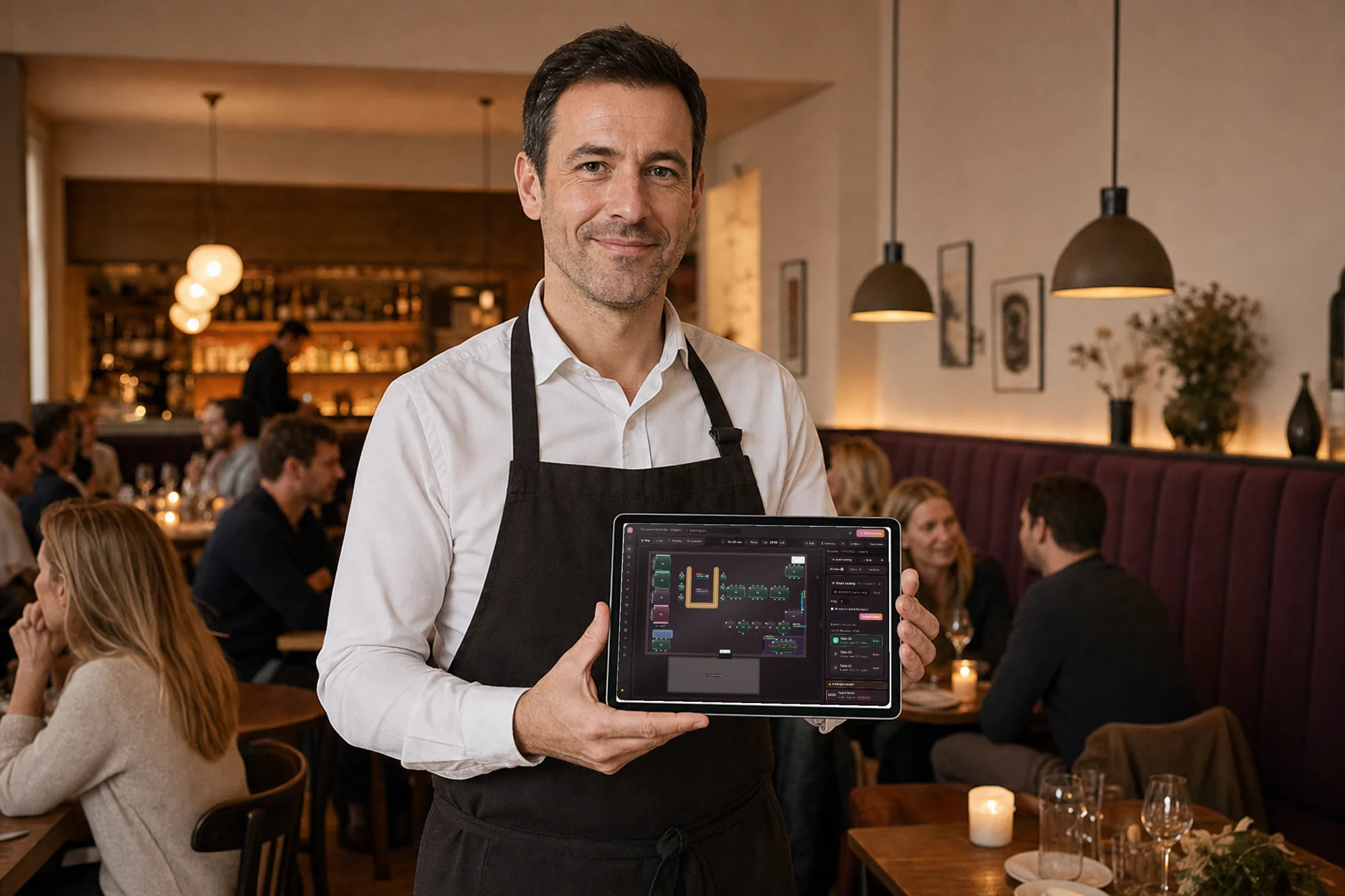
Restaurant table management software puts your whole dining room on one live floor plan, so staff seat parties, combine tables, and turn covers in real time. The moment a server clears a table, the slot reopens and the plan flags the next open seat. It comes with reservations — on the free tier too: reservations are free for up to 25 reservations a month per location, then $29 a month plus sales tax for unlimited. You pay 0 commission on your own reservations.
- Real-time floor plan
- Seat parties
- Combine tables
- Turn times
- Walk-ins
- Waitlist
See your whole night at a glance
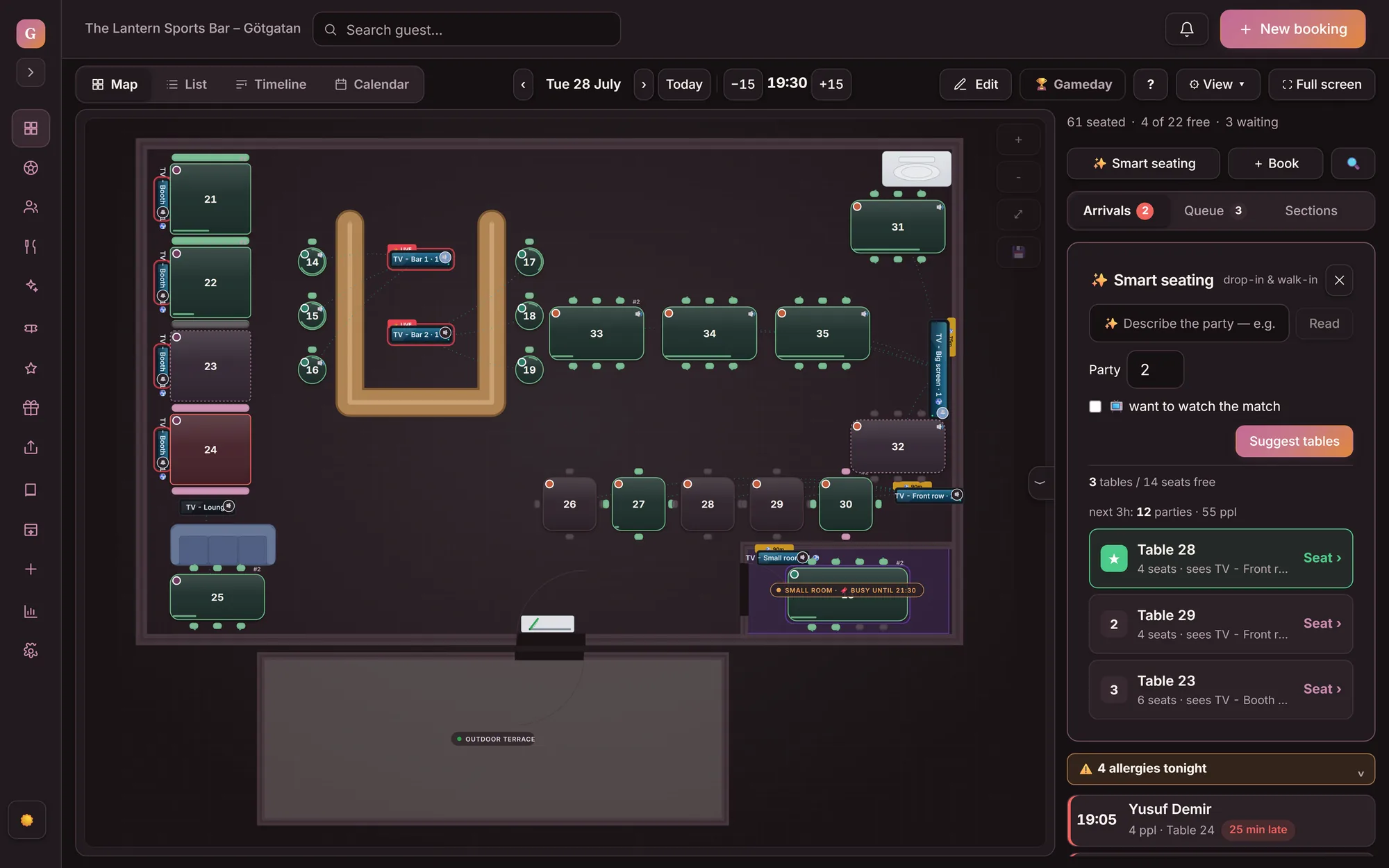
The floor plan maps the dining room from above and updates every table's status on every screen at once: seated, on the way, running late, and open tables — the same picture at the host stand, behind the bar, and in the office.
How does the floor plan show the whole dining room?
The floor plan maps the room and updates every table's status across every device at once. Staff read seated, booked, running late, and open tables at a glance, with no paper book.
- Table status and capacity in one glance
- Same view on the iPad and the desktop
- No double booking: the plan and the widget read one source
How do you combine tables for a larger party?
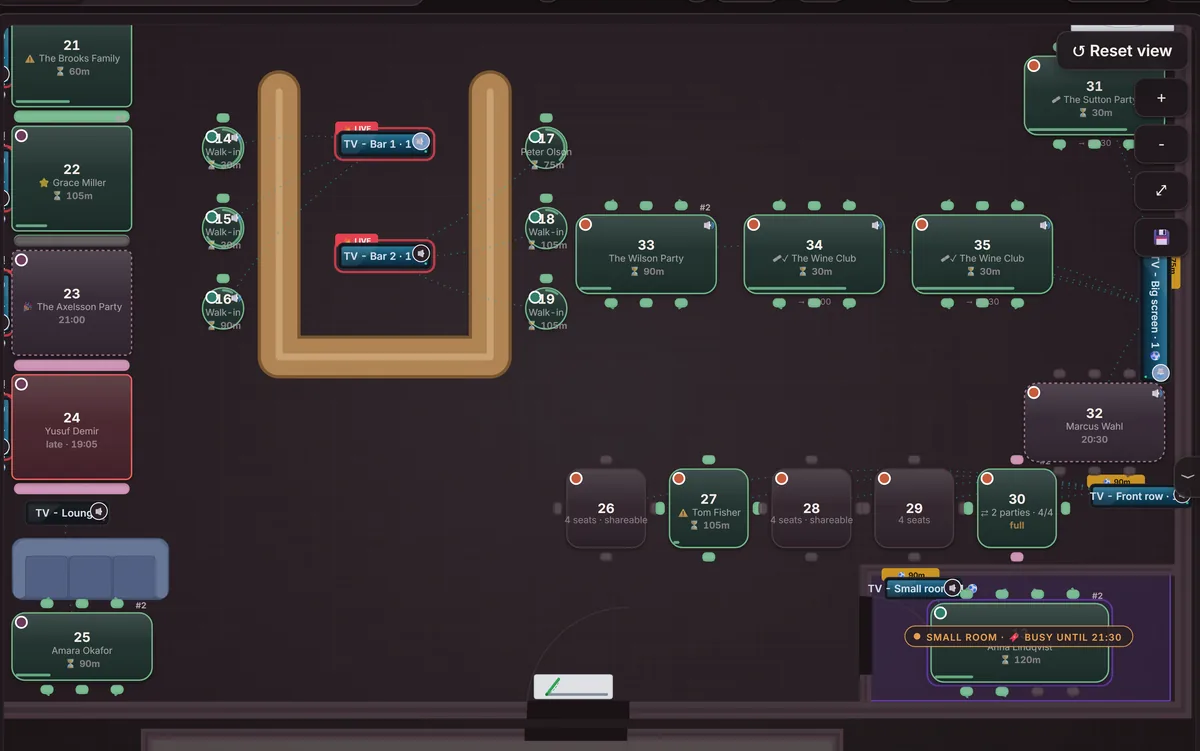
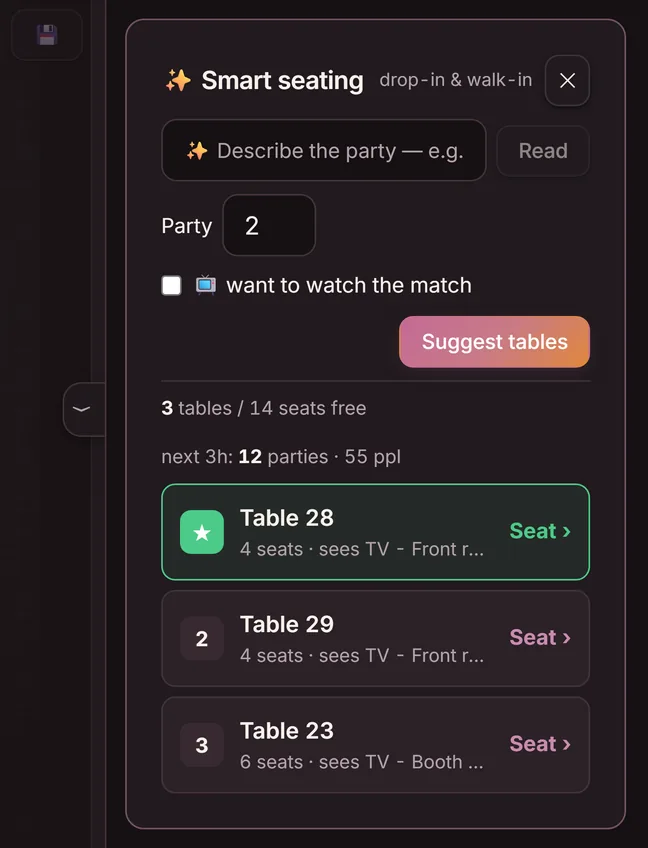
A party of six calls an hour before service. Type ”party of 6 tonight 7:30 pm” into Smart seating and the floor plan suggests which tables to combine — so the party gets a seat instead of a no on the phone.
- Describe the party in your own words — table suggestions right away
- Two tables combine when no single table is big enough
- Party early and their table taken? Seat them at another table in one move
- Capacity recalculates in a second
How do you draw your own dining room?
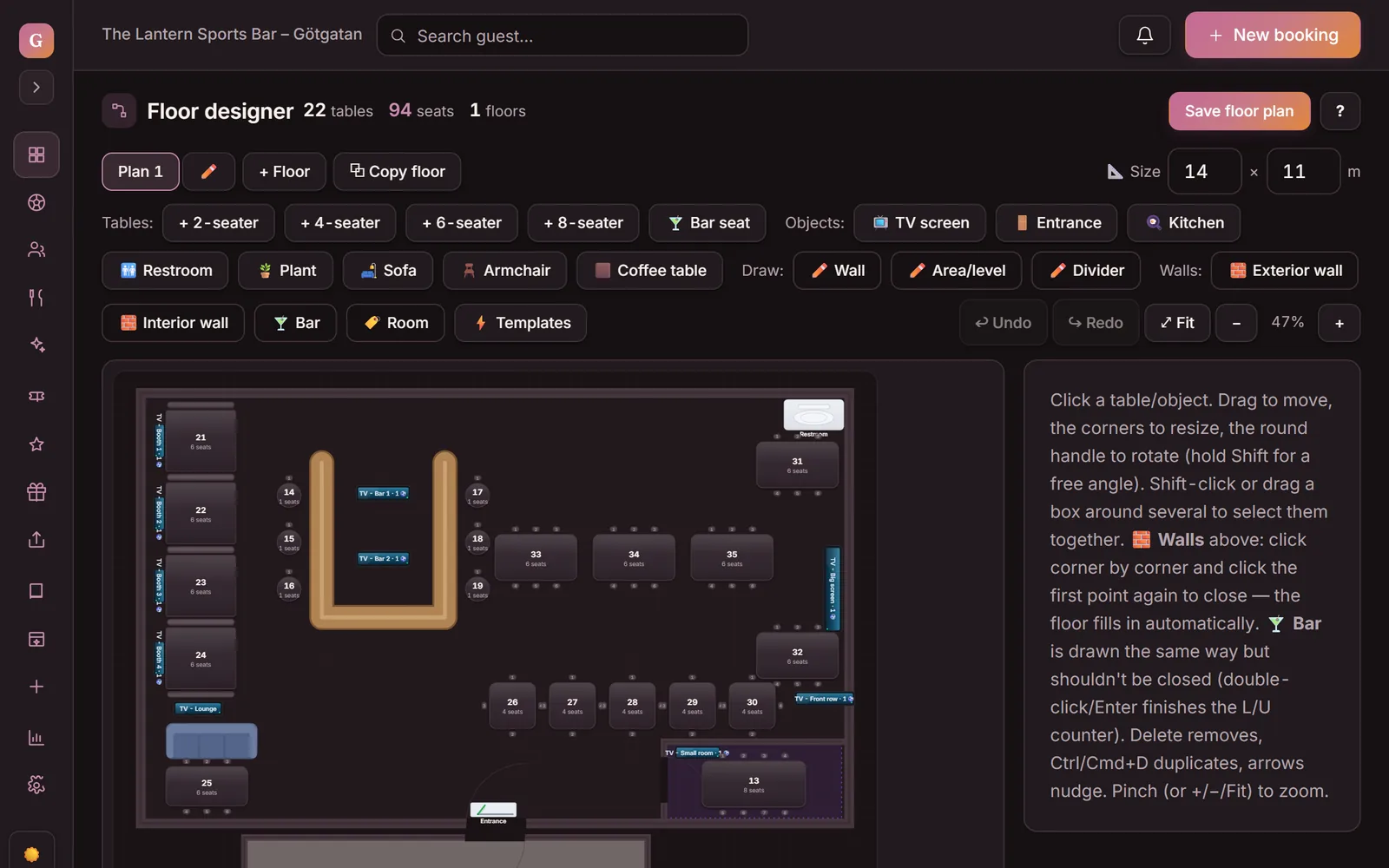
You build the floor plan yourself: tap ✎ Edit in the map view and the floor designer opens. Drag in tables from two-tops to eight-tops, bar seats, sofas and walls until the plan looks like your room. Two floors? Add another level.
- Tables, bar seats, sofas, entrance and kitchen in place
- Walls, areas and multiple levels
- Rearranged the room? Update the plan and the map follows
How do you turn more covers per service?
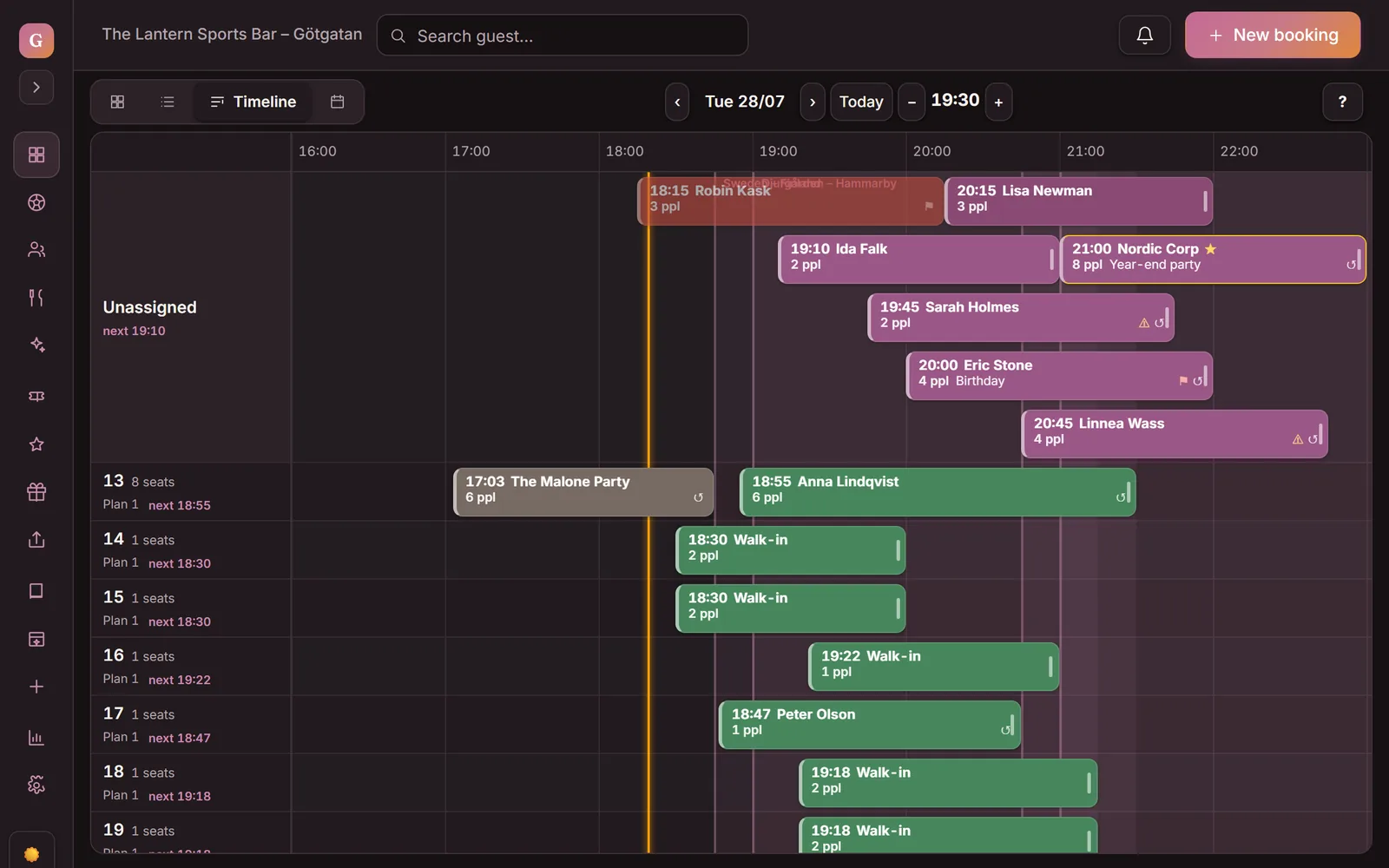
The timeline shows how long each table has been occupied and which table is about to free up. The moment a server clears a table, the slot reopens, so staff seat the next party from the waitlist.
- How long each table has been occupied on the timeline
- Seat a walk-in on any open table
- Fill late cancellations from the waitlist
What does table management change on a full night?
Table management pulls the floor plan, seating, and guests into one flow the host works from mid-rush. The list below sets the paper book against the live plan on the same Saturday service.
- A paper floor plan that is already out of date
- Big parties turned away — no six-top free
- Tables sit empty after a late cancellation
- No quick read of the room during service
- A live floor plan, real-time on every device
- Three two-tops become a six in one drag
- Staff fill the gap from the waitlist
- Tables, seating, and guests in one view
What does table management cost?
What operators ask about table management
What does restaurant table management software do?
Restaurant table management software puts every table, its capacity, and its status on one live floor plan. Staff seat parties, combine tables, and see how long each table has been occupied. The moment a server clears a table, the seat reopens, so the room serves more covers without overbooking.
Is table management the same as reservation software?
No. Table management is the floor-plan view of your reservation system. Reservations, walk-ins, and the waitlist all land on the same plan, where the host seats them in real time. Guests can even choose their table as they book, so the seat is set in advance. See restaurant reservation software for the reservation side.
Does the floor plan run on an iPad at the host stand?
Yes. Goboblo runs in the browser, so the floor plan works on an iPad, tablet, or desktop at the host stand with no app to install. Every device shows the same live dining room, and a single seating move appears everywhere at once. At the table, the guest opens a QR menu on their phone tied to that same table.
How does it handle walk-ins and the waitlist?
Walk-ins and the waitlist flow onto the same floor plan as your reservations. You seat a walk-in on any open table, and when the room is full the guest can join the waitlist online, where staff seat them at the next table that clears.
How is Goboblo different from OpenTable or SevenRooms?
Goboblo charges a fixed fee with no per-cover commission, and ties the floor plan to loyalty and repeat visits. OpenTable and SevenRooms run strong floor tools but bill on reservation networks and cover volume. See OpenTable alternatives.
Want to see the floor plan on your restaurant?
Book a short demo and we'll show the floor plan live: seat parties, combine tables, turn covers, and fill the waitlist in a real service flow.