Choose your table when booking
Let guests pick their own table from a list of the free tables as they book — by the window, a quiet corner, or a seat with a view of the match. The guest gets a confirmed table, not just a time.
- The guest picks their table
- Area, seats and match view in the list
- 0 commission on your own bookings
Choosing a table lets the guest pick their table from a list of the free tables as they book. The guest sees each table's area, seats, and any view of the match, picks one, and gets a confirmed table instead of just a time. Choosing a table is one step in Goboblo's restaurant reservation software — the guest picks the table right in the booking, with no phone call.
- Pick a time
- See free tables
- Area and seats
- Match view if TV
- Or seat me
- Confirmed table
Pick a table — and see what the booking is tied to
This is the guest's table list with the demo venue's real tables. Pick a table and book it — then try what happens when someone else takes the table while you're booking.
- The guest picks a time and sees the list of tables that are free right then.
- Each table shows the area, seats and match view — or the guest picks No preference.
- The booking is tied to the exact table chosen. Only one booking can take a table.
- If someone else gets there first, the guest is told right away and picks another — you never get two bookings on one table.
That table was just taken — please pick another.
Pick a table in the list first.
- The booking was tied to exactly {table} — not just a time. The guest knows what they're getting from the confirmation.
- The table was locked for that time — only one booking can take a table, even if two guests try at once.
- Your team sees the choice on the same table they already work with in their view — no notes, no surprises at the door.
How does the guest choose a table?
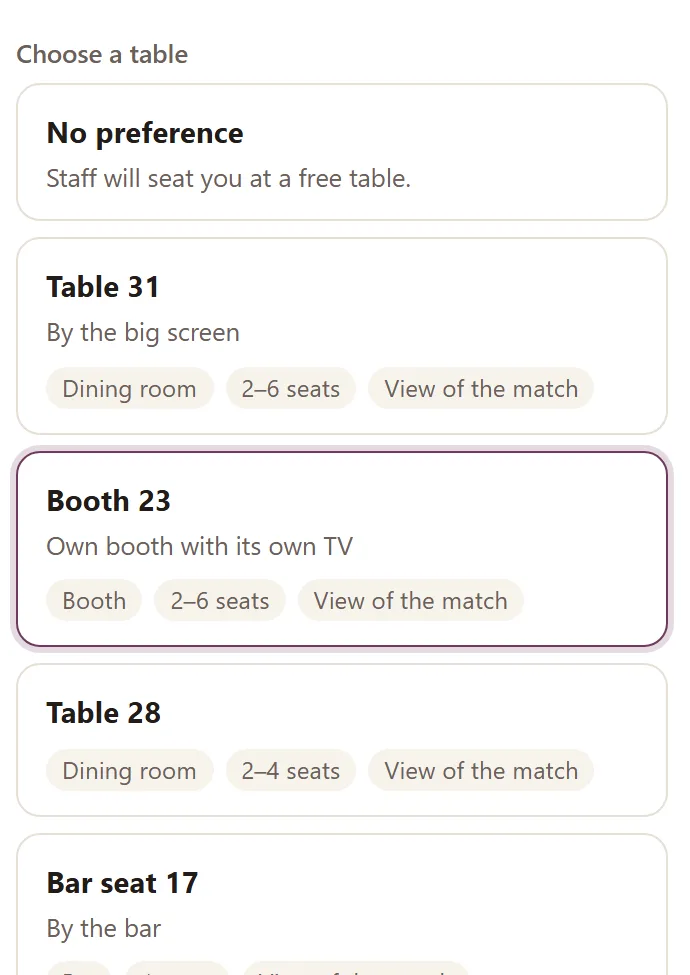
The guest picks a time and then sees the tables that are free right then — right on the details step of the booking. Each table shows the area, the seats, and whether it has a view of the match. The chosen table gets a clear highlight, and the guest gets a confirmed table, not just a time.
- Free tables for the chosen time
- Area, seats and match view per table
- Works just as well on a phone as on a desktop
From a picked time to a confirmed table — step by step
Click a step to see what data it creates and what happens next. The whole chain is live in the product today.
-
You pick which tables can be chosen and what they're called — the window tables, the booths, the seats with a match view. Service tables stay out. The list is built on the same tables your team already works with.
-
The list only shows tables that are actually free for the chosen time and party size — in real time, not a static list.
-
Booth 23 with its own TV, Table 31 by the big screen, or Bar seat 17 — or No preference, and staff seat the party as before. Choosing is an option, not a requirement.
-
The booking is created with the table locked for that time. Only one booking can take a table — if two guests try to book the same table in the same second, only one gets it.
-
If someone else takes the table while the guest fills in their details, the message That table was just taken — please pick another appears and the list reloads. You never get two bookings on the same table.
-
The chosen table shows up in your team's booking view and floor — same table, same name. No notes at the door, no table swaps after the guests sit down.
Does the guest have to choose a table?
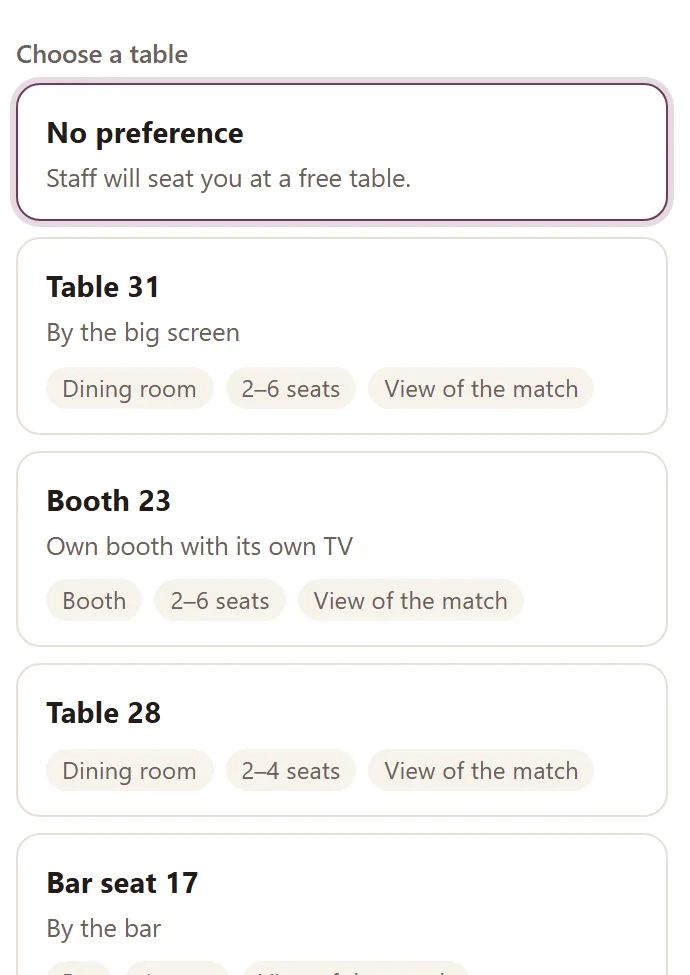
The guest can pick No preference and just book the time. Your team seats the party on a free table exactly as before. Choosing a table is an offer to the guest — not a requirement.
- No preference books just the time
- Staff seat the party as before
- Same flow as an ordinary booking
What changes for the guest and for you?
An ordinary booking form gives the guest just a time. When the guest picks their table, both the guest and you know exactly what's booked.
- The guest gets just a time and hopes for a good spot
- Staff solve the seating at the door
- Guests ask to switch tables after they've sat down
- The best spots aren't sold deliberately
- The guest picks their table from a list
- The booking is tied to that exact table
- Fewer swaps — the spot was chosen in advance
- Window, quiet corner and match view fill first
What you get, in short
What operators usually ask about table choice
How does the guest choose a table?
The guest picks a time first, then sees a list of the tables that are free at that time. Each table shows the area, the number of seats, and whether it has a view of the match. The guest picks a table and books it — right in the booking, no phone call.
Does the guest have to choose a table?
No. The guest can pick No preference, which books just the time as usual, and your team seats the party on a free table as before. Choosing a table is an option for the guest, not a requirement.
Do you show a floor-plan map the guest taps?
No. Today the guest picks their table from a list with the area, seats, and view of the match — not a tappable map. The list is enough to get the guest the right table, and it works just as well on a phone as on a desktop.
What if the table is taken while the guest is booking?
Only one booking can take a table. If someone else books the same table first, the guest is told the table was just taken and picks another free table instead. You never get two bookings on the same table.
Do we decide which tables guests can pick?
Yes. You control which tables show in the list and what they're called — the window tables, the quiet corners, the seats with a view of the match. You can keep service tables out. The list is built on the same tables your team already works with.
What does it cost?
Choosing a table is part of booking, and you pay 0 commission on your own guests. The full price is on our pricing page.
Works together with
- Restaurant reservation software — the whole booking that table choice is part of.
- Table management — how your team handles tables, sittings and the floor plan on their side.
- Restaurant waitlist — the sister feature for fully booked nights: the guest joins the queue instead of picking a table.
- Sports bar bookings — for guests booking a seat in front of the match at a sports bar.
Want to let guests pick their table?
Book a short demo and we'll set up your table list — window, quiet corner and seats with a match view — so guests can pick their table as they book.