How to build a restaurant guest database
Five moves turn a stack of reservations into a guest database you own: decide what to collect, capture it from the reservation, loyalty and a QR at the table, one profile per guest, with consent.
- Your own guests, with consent
- One profile per guest
- Live in a day
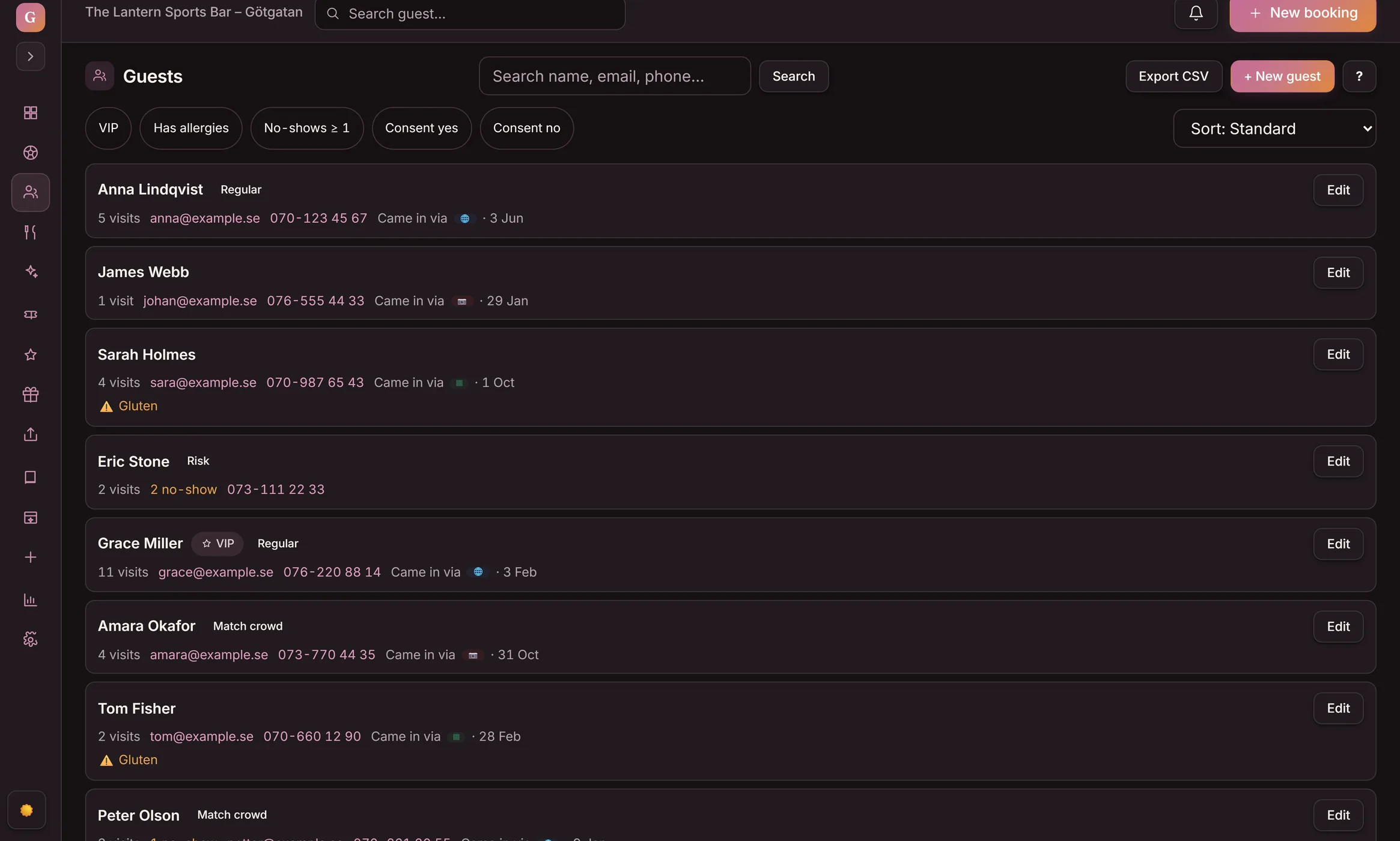
You build a restaurant guest database by collecting your own guests' details with their consent — from reservations, loyalty sign-ups, and a QR at the table — into one guest profile per person, then keeping it accurate and using it to bring guests back. A guest database means your own guests, never a bought or B2B list. The details land on one profile per guest from the reservation, a loyalty sign-up and a QR at the table, and the profile stores the consent the guest gave.
- Decide what to collect
- Capture it
- One profile per guest
- Consent
- Keep it accurate
- Use it
A restaurant guest database in five steps
Build the steps in order — each one has a job, and step 4, getting consent, is the one that keeps the whole database safe to use.
- 1
Decide what to collect
Name, contact, visit history, preferences and allergies — the few details that help you recognize a guest and serve them well. Collect what you will use, nothing more.
- 2
Capture it where it happens
Pull the details from the things guests already do: a reservation, a loyalty sign-up, a coupon they save by scanning a QR at the table. No clipboard, no separate form.
- 3
Build one profile per guest
Match every reservation, visit and sign-up to the same guest, so each person is one record — not the same regular spread across three lists.
- 4
Get and store consent
Collect the details only when the guest agrees, for a reason they understand. The profile stores that consent, so you can show what each guest agreed to and drop anyone who opts out.
- 5
Keep it accurate and use it
Each visit updates the profile, so it reflects how the guest actually behaves. Then use it: spot your regulars, see who has gone quiet, and bring them back.
Watch the database build itself — event by event
This is the point of the whole guide: the database builds itself from flows you already have. Click the events and watch the guest history panel — the same panel staff open on the floor — fill up.
- The guest books in the widget — the reservation creates the guest profile, with the guest's own note.
- The guest prepays an experience — the purchase lands on the same profile, not in a separate system.
- Staff save the allergy on the profile — it shows highlighted on every future reservation.
- Half a year later the profile is a database you can act on: visits, tags, allergies and purchases — with consent, on your own guests.
📝 Wants to sit near the big screen
This is how empty the profile is before the first reservation. Click event 1.
The reservation created the guest profile — the database got its first row without anyone typing anything in.
The purchase lands on the same profile — the Purchased via Goboblo line. One more source into the database, zero extra admin.
The allergy shows highlighted every time Anna books — the database works for the floor, not the other way around.
Five visits, the Regular tag, an allergy and $845 purchased via Goboblo — all with consent. This is the database the lunch offer targets in step 5.
The panel is a copy of the Guest history view in Goboblo. The guest's note travels with the reservation; the allergy on the profile is saved by your staff. Your own guests only — never bought lists.
See the guest databaseThe details come from things guests already do
You do not chase guests for data. A reservation, a loyalty sign-up and a QR at the table each hand you the details — with the guest's agreement — so the database fills itself from real visits, not a bought list.
- From the reservation, the loyalty sign-up and a QR at the table
- Name, contact, visit history, preferences, allergies
- Your own guests only — never a bought or B2B list
One profile per guest, kept accurate
A guest spread across a reservation sheet, a loyalty list and a notebook is three half-pictures. Goboblo matches them to one profile, so the regular who books on Fridays and the one on the loyalty card are the same person — and every visit keeps the profile current.
- Reservations, visits and rewards on one record
- Preferences and allergies a host can see before service
- Updated by every visit, not by hand
Consent, kept simple — then put the database to work
A guest database is the guest's data that you look after. You collect it when they agree, store what they agreed to, and stop contacting anyone who opts out. With that in place, the database earns its keep: you see your regulars and win back the ones who drifted.
- Collected only when the guest agrees, for a clear reason
- The consent stored on the profile, opt-outs respected
- See your regulars and bring back guests who go quiet
What changes for the restaurant
Same guests, two ways to hold their details. Goboblo keeps the reservation, the visit, the loyalty sign-up and the consent on one profile that mirrors how the guest actually behaves.
- The same regular spread across a reservation sheet, a list and a notebook
- No record of consent, so nothing is safe to send
- Bought lists of people who never asked to hear from you
- Allergies and preferences forgotten between visits
- One profile per guest, from reservations, loyalty and a QR
- Consent stored on the profile, opt-outs respected
- Your own guests only, gathered with their agreement
- Preferences and visit history a host sees before service
One guest database, free to start
How do you build a restaurant guest database?
What is a restaurant guest database?
A restaurant guest database is one record per guest, built from your own guests' details — name, contact, visit history, preferences and allergies — gathered with their consent. It is not a bought list and not B2B data. It is the regulars and bookers you already serve, kept in one place so you can recognize them and bring them back.
How long does it take to build a restaurant guest database?
It starts the day you turn it on. Every reservation, every loyalty sign-up and every QR scan at the table adds a guest to the database from then on, so the first profiles land the same day. With software that holds it for you, there is nothing to build and no spreadsheet to maintain.
Can I buy a guest list to fill it faster?
No. A guest database only works when it is your own guests who chose to share their details. Bought lists and B2B data are not your guests, they have not consented, and emailing them breaks the rules and your reputation. Build the database from real reservations, loyalty sign-ups and visits instead.
What about consent and the rules?
You collect a guest's details for a clear reason and only when they agree to it — a reservation, a loyalty sign-up, a coupon they asked for. The guest profile stores that consent alongside the details, so you can show what each guest agreed to and stop contacting anyone who opts out. Treat it as the guest's data that you look after.
How does the database connect to reservations and loyalty?
A completed reservation records the visit on the guest's profile, and a loyalty sign-up adds the same guest to the same record — so reservations, visits and rewards sit on one profile instead of three lists. The guest can join your stamp card or membership straight from the reservation confirmation, so a reserved table is where a regular starts. Staff add the stamp at the visit, because a reservation is not a visit.
Where you build and keep the guest database
The five steps above run inside Goboblo's restaurant CRM software, which keeps the reservation, the visit, the loyalty sign-up and the stored consent on one guest profile. You decide what to collect once, and every reservation and every visit lands on the same record — so the database reflects how the guest actually behaves, holds only your own guests, and never relies on a bought or B2B list.
Build on the guest database
The steps above get easier once your guest data shares one profile with the rest of the restaurant's flow.
Restaurant CRM software
The hub that keeps the reservation, the visit, the loyalty sign-up and the consent on one guest profile.
See the platform →ProfilesRestaurant guest profiles
What one profile holds: contact, visit history, preferences and allergies a host can see before service.
Read about guest profiles →ReservationsRestaurant reservation software
The reservation that records the visit on the guest profile and fills the table in the same flow.
See reservation software →LoyaltyRestaurant loyalty program software
Loyalty sign-ups add the same guest to the same record, so rewards and visits live on one profile.
See the loyalty platform →EmailRestaurant email marketing
Once the database holds your guests with consent, email the right ones — the regulars, the quiet, the lunch crowd.
Read about email marketing →TermWhat restaurant CRM means
The plain-language definition: the system that holds your guest database and what it does for a restaurant.
Read the definition →Build a guest database in a day, not a quarter
Book a short demo and we will show one profile per guest, the reservation and loyalty sources, the stored consent and the regulars report in a real restaurant flow.