Wallet coupons: send an offer the guest shows at the till
Create the offer once and send it to the right guests. The guest gets a code and a QR right on their phone — no app — and shows it at the till, where staff scan it or type in the code. You see exactly who used it.
- No app for the guest
- Code and QR on the phone
- Redeem at the till: scan or type the code
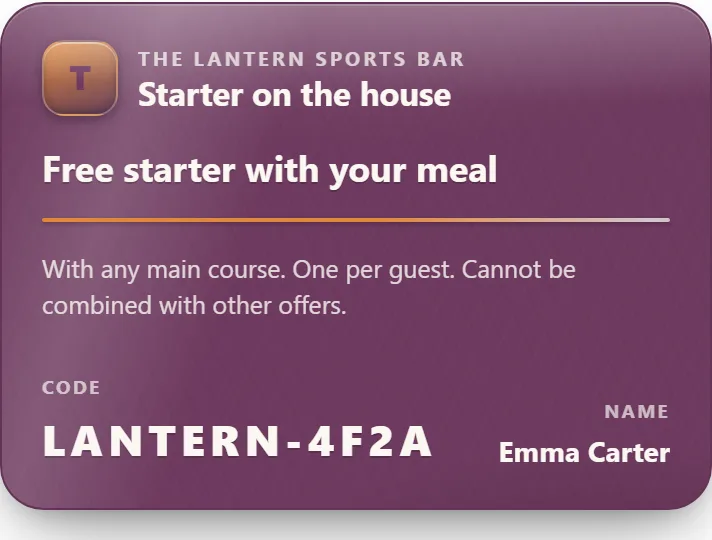
A wallet coupon is a digital offer your restaurant creates and sends to the guest's phone — a code and a QR in a simple web view, with no app to download. The guest gets the offer as a notification, your staff scan the code or QR at the till on the visit, and each coupon can only be redeemed once. You see how many were sent, opened, and redeemed.
- Code and QR on the phone
- No app
- Targeted sends
- Notification to the guest
- Once per coupon
- Redeemed at the till
Pick the audience and send — like in your dashboard
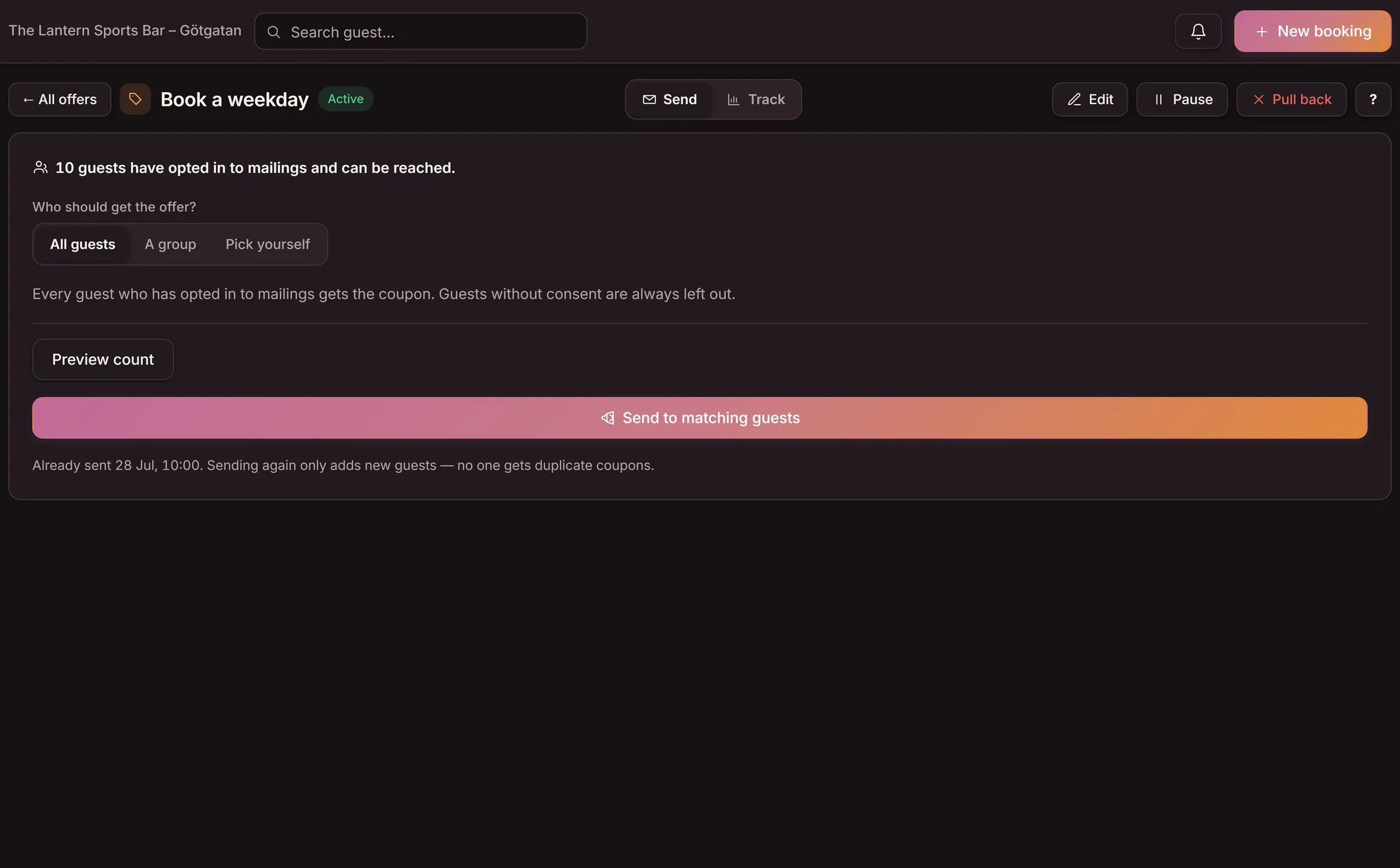
This is the Send view with the demo venue's real values. Pick who should get the offer and send it — and see the product's real receipt for what went out.
- You build the offer: what the guest gets, when it's valid and for how long.
- You pick the audience: all guests, a preset group — or individual guests from your register.
- Only guests who've opted in to mailings are counted — guests without consent are always left out.
- Every recipient gets a personal coupon as a notification on their phone, and you track sent, opened and redeemed in the overview.
Pick yourself selects individual guests from the register — we skip that in the demo.
Only guests who've opted in to mailings are counted.
23 new guests got a coupon. 23 coupons out in total. 18 got a notification on their phone.
- Every recipient got their own coupon with its own number — personal, and only redeemable once.
- Guests without consent were left out automatically — the consent filter can never be forgotten.
- The overview starts counting right away: sent, opened and redeemed, so you see whether the offer earns its keep.
A coupon the guest actually has with them
The offer stays on the phone — a code and QR in a simple view, always along and ready to show at the till. No app, no paper that gets binned.
- Code and QR on the phone
- Shown at the till
- No app to download
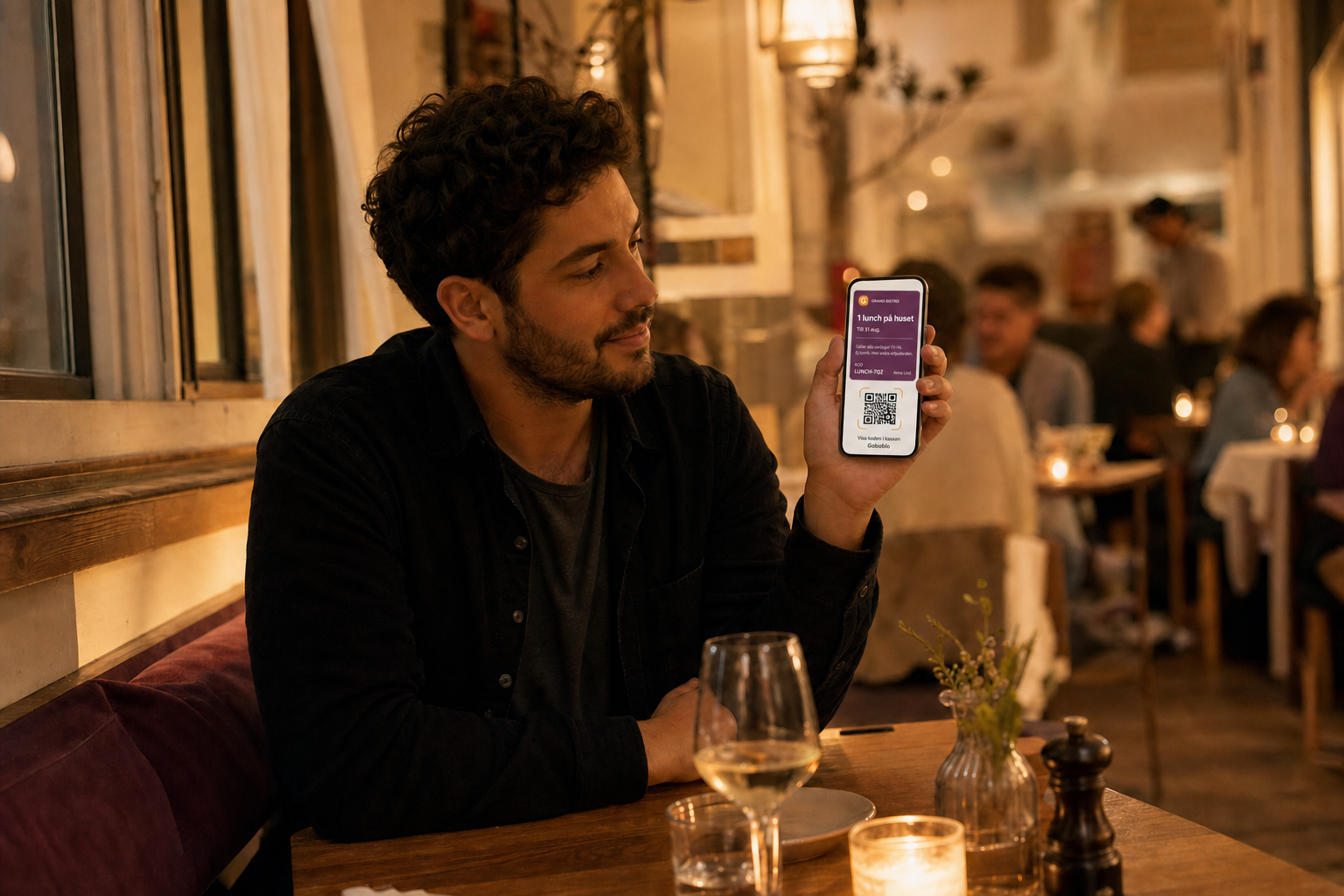
Send to everyone — or just the guests you want to reach
Send to your whole guest list, or pick a preset group: guests who haven't visited in 60 days, weekday-lunch regulars, VIP guests or regulars. The groups come from the same guest profile as your booking — and only guests who've opted in to mailings are counted.
- Preset groups from your own guest data
- Build your own segments with + New segment
- The consent filter always leaves out guests without a yes
From an offer to a recorded visit — step by step
Click a step to see what data it creates and what happens next. Everything except the last step is live in the product today.
-
A starter on the house, 15% on a quiet Tuesday or a glass with the meal — you write what the guest gets and when it's valid. Done in under a minute.
-
All guests, a preset group — not visited in 60 days, lunch regulars, VIP — or individual guests. Only guests who've opted in to mailings are counted; guests without consent are always left out.
-
Each guest gets their own coupon with its own number, as a notification that opens in the phone's browser. No app, no login.
-
Staff scan the QR or type in the short code — both take a couple of seconds. The coupon locks instantly and can't be redeemed twice.
-
Every coupon is tracked: how many were sent, opened and redeemed. The visit is recorded on the guest profile — the same profile as bookings and the stamp card.
-
A coming feature: the coupon as a real wallet pass in Apple Wallet or Google Wallet. Today it lives in the phone's browser — which works on any phone without an app.
Where does the offer end up — on the phone or in the bin?
A printed or emailed offer gets lost, and you rarely know whether it worked. A wallet coupon arrives as a notification, stays on the phone with a code and QR, and every redemption shows in the overview.
- The flyer ends up in the bin
- The email drowns in the inbox
- You rarely know if anyone used it
- Codes typed by hand at the till
- Stays on the phone with a code and QR
- Delivered to the guest as a notification
- Sent, opened and redeemed show in the overview
- Staff scan or type the code — once per coupon
One tool, no paper
What operators usually ask
What can you use a wallet coupon for?
You use a wallet coupon to send an offer to the guest's phone and have it redeemed at the till — a free starter, a lunch deal, or a win-back for guests who haven't been in a while. The guest gets a code and a QR in a simple web view and shows it at the till on the visit, with no paper and no app. For just the term, read what a wallet coupon is.
Does the guest need to download an app?
No. The offer arrives as a notification and opens in the phone's browser — the guest sees their code and QR right away, with nothing to install. That's exactly why wallet coupons beat a branded app the guest never bothers to install.
Can the guest save the coupon in Apple Wallet or Google Wallet?
That's a coming feature. Today the guest gets the coupon as a code and QR in a web view, which works on any phone without an app. Saving the pass straight into Apple Wallet or Google Wallet is the next step we're building.
How does staff redeem a coupon?
When the guest pays, your staff scan the QR or type in the short code at the till — both take a couple of seconds, so it works even when scanning isn't possible. The coupon is then marked as used, so the same coupon can't be redeemed twice.
Can I send the coupon to only some guests?
Yes. Send it to everyone, or pick a group: first-time guests, people who haven't visited in a while, or weekday-lunch regulars. Sending the right offer to the right guests means less waste and a better response, and it drives guest retention — guests coming back. The groups come from the same guest profile as your booking.
Can I see whether the coupon worked?
Yes. The overview shows how many coupons were sent, opened, and redeemed. You can see in plain numbers whether the offer brought guests in before you run the next one, instead of guessing.
How is a wallet coupon different from a lunch coupon?
A wallet coupon is the tool itself: any offer the guest gets on their phone. A lunch coupon is one common way to use it — a lunch offer to fill quiet weekdays. Same technology, different offer.
How do wallet coupons fit with the rest of Goboblo?
Every coupon you send is tied to a guest profile in your loyalty program. The same guest data powers your digital stamp card and your lunch coupons, so every tool works from the same picture of your guests.
Want to send your first wallet coupon?
Book a short demo and we'll set up your first wallet coupon together — offer, guests, send and redemption in one concrete restaurant flow.