Digital stamp card for restaurants — turn first-time guests into regulars
Put the stamp card in the guest's phone. Staff scan it at the till, the stamp shows up on the guest's phone within seconds, and the picture on the card fills a little more — until the reward is ready. No app, no paper, no lost cards.
- In the phone browser — no app
- The stamp shows up in seconds
- Your logo, colour and reward
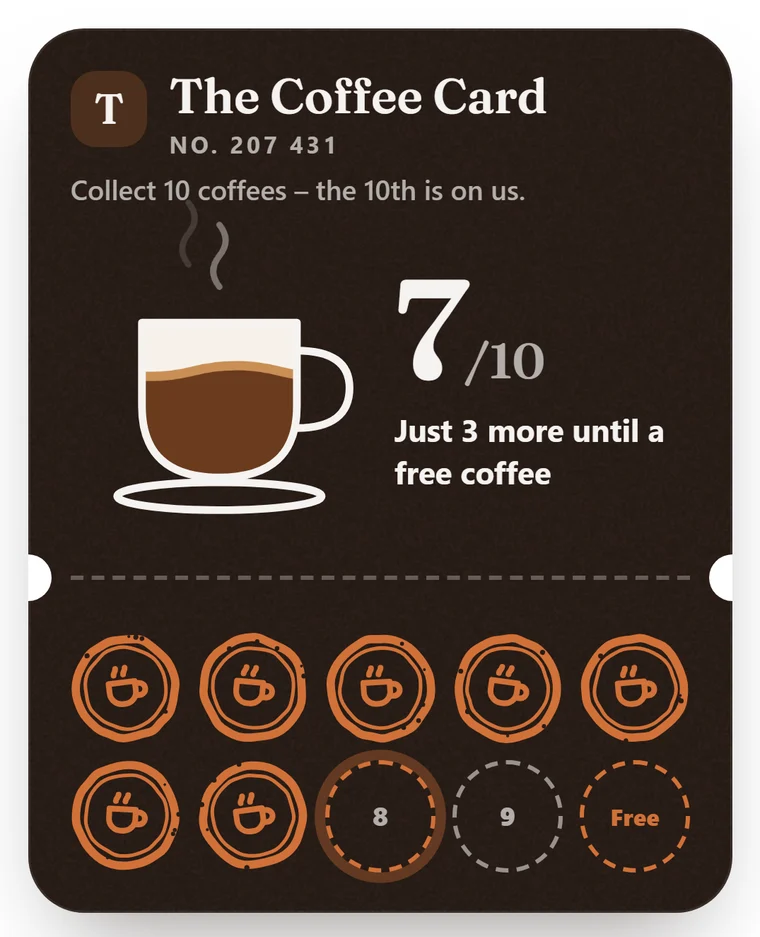
A digital stamp card is a stamp card in the guest's phone — your staff scan it at the till, the stamp shows up on the guest's phone within seconds, and the picture on the card fills a little more. When the card is full, the guest gets their reward and a reason to come back.
- Stamp card
- In the browser
- Stamp each visit
- Reward
- Notification
- Guest profile
Add a stamp — and watch the reward get closer
This is an example card for a restaurant: The Regulars' Card with ten stamps. Press the button as if you were at the till: the stamp lands, the counter ticks, and at ten stamps the reward is ready.
- The guest scans your QR code once — the card opens in their phone browser, no app.
- At the till the guest shows the card, and staff scan the QR code or type in the number on the card.
- The stamp shows up on the guest's phone within seconds, and the picture on the card fills a little more.
- When the card is full it celebrates, and the guest gets a ticket with a running clock — staff can see it is valid right now.
The stamp card lives in the guest's phone
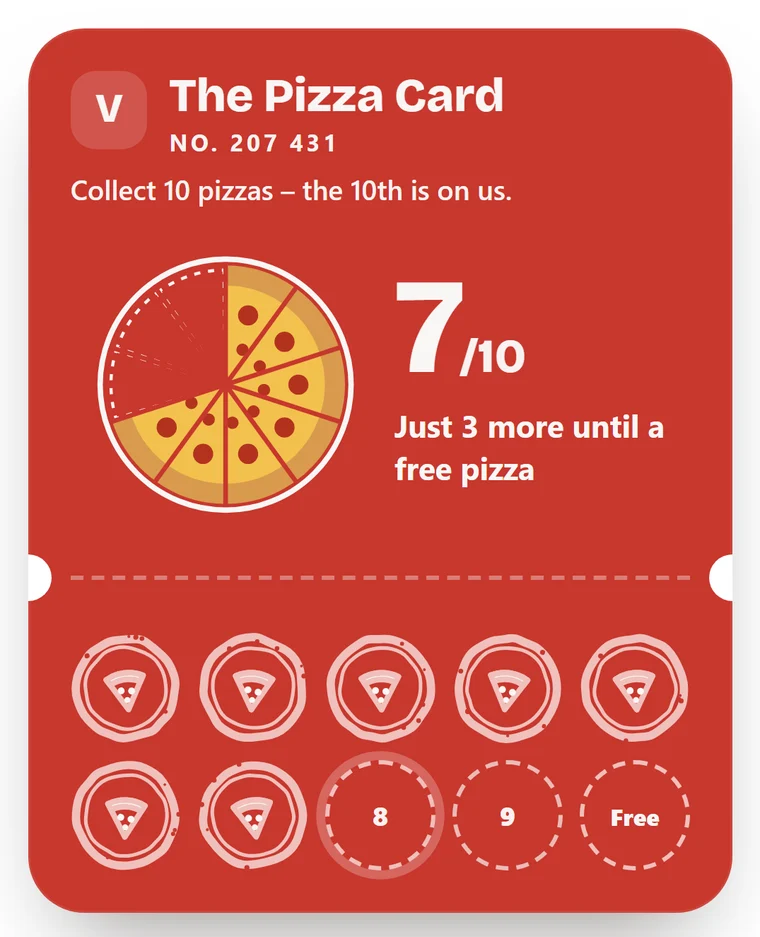
A digital stamp card, sometimes called a digital loyalty card, replaces the paper card you stamp by hand. The picture on the card suits your place and fills with every visit: the coffee cup fills at a café, the pizza gets another slice at a pizzeria, the cinnamon bun rolls out at a bakery, the plate fills around the rim at a restaurant and the bowl fills at a lunch spot. Anywhere else, a ring closes.
- Pick your type of place — one tap gives a ready-made card
- Your logo, your colour, your card name and your reward
- 6, 8, 10 or 12 stamps — or a number of your own
From the first scan to a regular — step by step
Click a step to see what data it creates and what happens next. Every step is live in the product today.
-
The guest scans your QR code at the table or by the till. The card opens in the browser with stamps, member number and reward — no app, no account.
-
The guest shows the card at the till, and staff scan the QR code or type in the number shown on it. The stamp shows up on the guest's phone within seconds, and the card flips back on its own. Each stamp counts as a visit on the guest profile (at most one a day), even for guests who never book a table.
-
The picture on the card fills a little with every stamp, and the number counts up. Halfway through the card says Halfway there!, and near the end Almost there! A smaller reward along the way works too — for example coffee on the house at five and a free dessert at ten.
-
When the card is full it celebrates, and the guest gets a ticket with a running clock. Staff can see the ticket is valid right now and hand over the reward. No lists to keep track of.
-
In the dashboard's Loyalty view you see every member with their stamps and redeemed rewards. You can send a notification to guests who turned notifications on, or an offer to the guests you pick.
-
After the reward, the card starts again at Round 2. From the third round the card says Regular, and the guest can see how many free rewards they have collected with you.
A reason to come back instead of trying somewhere new
A first-time guest is easy to lose. A guest who is three stamps from a free dessert has a reason to choose you again — that is repeat business, guests coming back instead of going elsewhere. Getting a past guest to return costs far less than finding a new one.
- See your members and how many stamps each one has
- Send a notification or an offer to your guests' phones
- The same regular shows up on the guest profile as your bookings, not in a separate register
One system, free to start
What operators usually ask
What is a digital stamp card?
A digital stamp card, sometimes called a digital loyalty card, is a stamp card that lives in the guest's phone instead of on paper. The guest collects a stamp each visit, and the picture on the card fills bit by bit: the coffee cup at a café, the pizza at a pizzeria, the plate at a restaurant. When the card is full, the guest gets their reward. It opens in the phone browser — no app to download. There is a short explainer for the term wallet coupon in the glossary.
Does a stamp card suit a café?
That is where it earns its keep. A café lives on guests who come back several times a week, and that is exactly what the card measures. Pick Café and the card is ready: a coffee cup that fills with every visit, and every tenth coffee free. The whole flow for that kind of business is on the page for cafés.
Does the guest need an app?
No. The guest scans your QR code once and the card opens in their phone browser — stamps, member number and reward in one place. Nothing gets downloaded and there is no account to set up.
Do staff have to scan to add a stamp?
No. Staff can scan the QR code on the guest's card or type in the number shown on the card — both take a couple of seconds at the till, so it works even when scanning isn't possible. When staff scan, the stamp shows up on the guest's phone within seconds and the card flips back on its own. The stamp always comes from a purchase, never from a booking: a booking does not mean the guest turned up, and someone who turned up and had a soft drink should not get the same stamp as someone who ate lunch.
How does it bring guests back?
A guest who is a few stamps short of a reward has a reason to choose you again. The card says Halfway there! in the middle and Almost there! as the goal gets close, and after the reward a new round starts. In the member list you see how many stamps each guest has, and you can send an offer as a notification to the phones of guests you pick. If you need inspiration for the reward, there are restaurant loyalty program ideas with a type for every kind of place.
Can the card look like our place?
Yes. You pick your type of place — café, bakery, pizzeria, restaurant, lunch spot or something else — and one tap gives you a ready-made card. Then you change what you like: logo, colour, the card's name, the reward (in your language and in English), the number of stamps (6, 8, 10, 12 or your own number), a smaller reward along the way, card style, finish, font and stamp icon. The card keeps the text readable whatever colour you choose.
How does it fit with the rest of loyalty?
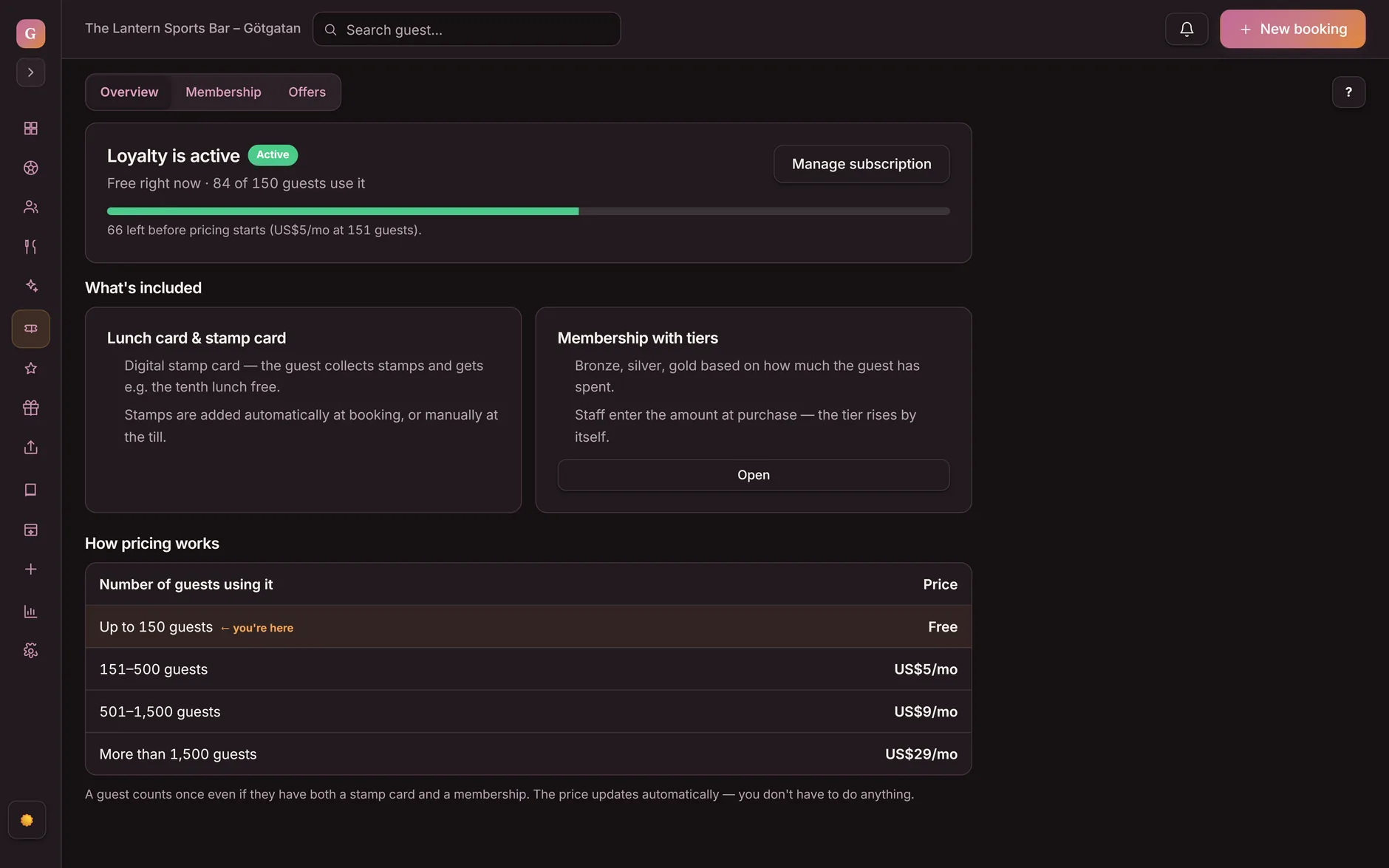
The stamp card is one part of Goboblo's loyalty program. It works alongside lunch coupons and wallet coupons on the same guest profile as your bookings.
See a digital stamp card in your restaurant
Book a short demo and we'll set up an example card with your logo, your colour and your reward, so you can try it on your phone before you decide.